


A busy front desk can lose most of a morning to insurance portals, reminder calls, and re-keying the same family's details for a second sibling. Most of that work follows fixed rules, and fixed rules are what software is good at.
Workflow automation for healthcare hands those repetitive steps to a system, so staff step in only where judgment is needed. The 2024 CAQH Index estimates fully automated administrative workflows save around 70 minutes per patient visit.
Nine tasks account for most of that load: eligibility, scheduling, intake, prior authorization, billing, labs, prescribing, documentation, and recall. Here is what changes in each one, what the evidence says it's worth, and the pediatric wrinkles that generic tools handle poorly.
What Is Workflow Automation for Healthcare
Healthcare workflow automation replaces manual tasks with rules that a system follows. Instead of staff making phone calls or mailing letters, the software handles the repetitive steps automatically.
The work moves from the person to the system, with staff stepping in only when judgment is needed. The payoff shows up in two places:
- Lower costs: routine administrative work costs the U.S. medical and dental system around $90 billion a year, according to the 2024 CAQH Index.
- Staff time: every check that runs on its own is a call the front desk doesn't place, easing the strain that growing admin work puts on clinical capacity.
What You Can Automate in a Medical Practice
Most practices start with the administrative tasks that eat the most staff time, and each one carries an extra wrinkle in pediatrics.
1. Insurance Eligibility and Benefits
Eligibility verification means confirming a plan is active and working out what the family owes, before anyone walks in. Done by hand it is a portal login or a hold-music phone call per patient, which is the first thing to get skipped when the schedule is full.
An automated check fires when the visit is booked. The system queries the payer electronically and writes back active coverage, copay, deductible status, and plan type. Staff see it only when something looks wrong: coverage terminated, plan changed, patient not found.
That exception flag is the point. Skipped verification is a common denial trigger, and a denial found after the visit costs far more staff time than the check would have.
The scale is not small. CAQH puts the industry-wide prize for fully automating eligibility verifications and claim status inquiries at over $15 billion a year.
Medicaid-heavy panels make this one non-optional. Pediatric coverage churns as families move between plans and through redetermination cycles, so most pediatric front desks re-verify at every visit rather than trust a result from six weeks ago.
There is a second eligibility question in pediatrics that no payer response answers. VFC status — Medicaid-enrolled, uninsured, American Indian/Alaska Native, or underinsured at an FQHC, RHC, or deputized site — decides which stock a dose comes out of, and it has to be screened and documented at every immunization visit. An automation that reads only the payer's response will get the copay right and the vaccine inventory fit wrong.
One limit worth knowing: an automated check is only as current as the payer's data, so a real-time response can still miss a change made that week.
2. Visit Reminders and Scheduling
Two things run here, and they solve different problems: letting families book without calling, and making sure they turn up.
Self-scheduling puts real availability on a web page or portal. A family picks a slot that matches the visit type and provider, and it lands in the schedule with no phone call. That moves booking to evenings and weekends, which is when parents deal with it.
Automated reminders go out on a set cadence by text, email, or voice, usually a few days out and again the day before, each with a one-tap confirm, reschedule, or cancel. A cancellation two days out is a slot you can refill; a no-show is one you eat.
The pediatric evidence here is direct, though it comes from a high-no-show setting. In a randomized trial at an urban pediatric resident clinic, where the baseline no-show rate was 30.8%, adding text reminders to the usual phone reminders cut no-shows from 38.1% to 23.5%. Most private pediatric panels start from a lower baseline, so expect a smaller absolute gain.
In pediatrics, one caregiver often books for several children in the same trip. Scheduling that treats siblings as unrelated bookings walks that parent through the same flow three times and tends to scatter the visits across the day.
3. Patient Intake and Registration
Intake is the paperwork a family completes before a visit: demographics, insurance, consent, history, and any screeners due.
Digital intake sends that packet by text or email when the visit is booked. The family fills it in on a phone, and the answers write into the chart as structured fields rather than a scanned PDF somebody has to retype. Check-in becomes a confirmation instead of a clipboard.
The structured part is what pays off later. Insurance entered by the family flows into the eligibility check, and a screener answered at home is scored and sitting in the chart before the provider walks in.
It also removes a transcription step, and every transcription step is a chance to mistype a member ID or a date of birth. Those small errors surface weeks later as rejected claims, which is the most expensive place to find them.
For families with more than one child, the shared details (address, guarantor, insurance, pharmacy) should carry across siblings so the parent enters them once rather than once per child.
Newborns break most intake forms. A baby often arrives for the first visit before the plan has issued a member ID, and sometimes before the legal name is settled. The workable path is registering the newborn against the mother's policy, since coverage back-dates to the date of birth, then reconciling to the child's own ID once it lands. Intake that refuses to submit without a member ID sends that family to the front desk anyway.
Paper does not vanish entirely. Some families will not complete a form on a phone, so the front desk still needs a fallback that does not break the digital record.
4. Prior Authorization
Prior authorization is the payer's sign-off before a medication, test, or referral is covered. The manual version is a fax, a portal, or a phone queue, then a wait with no status and a callback that may never arrive.
Automating it means submitting electronically with the clinical documentation attached, then tracking every request in one place. Approvals post back to the chart. Denials and requests for more information land in a work queue with a name against them.
CAQH estimates that adopting the electronic standard saves medical providers and staff 14 minutes per authorization. Multiply that by a practice's weekly volume and it is most of a staff day.
The other gain is that nobody has to remember. A request that stalls surfaces on its own, rather than resurfacing when a parent calls to ask why the prescription was never filled.
In pediatrics this bites hardest on ADHD medications and specialty referrals. A stimulant needing authorization at every renewal becomes a recurring administrative task with a child's treatment sitting behind it.
5. Billing and Claims
Two automations do most of the work here, at opposite ends of the claim.
Automated charge capture pulls billable codes from what was documented in the visit, so the provider is not translating their own note into a superbill afterward.
Claim scrubbing then checks the claim against payer rules before it goes out, catching missing modifiers, mismatched diagnosis codes, and fields a given payer wants formatted its own way.
Both aim at first-pass acceptance, and the cost of missing it is well documented. Premier's national survey of 280 hospitals across 23 states found payers initially denied nearly 15% of claims in 2023, at an average administrative cost of $57.23 to fight each one. That is hospital data, but a denied claim works the same way in an outpatient practice.
Around 70% of those denials are eventually overturned and paid. That is revenue the practice had already earned, recovered only after paying to chase it, which is the strongest argument there is for catching the error before submission.
Pediatrics has its own dropped-revenue pattern. Vaccine administration is billed per component and is easy to under-report, and age-based visit codes shift as a child ages out of one bracket into the next.
Clean data upstream is what makes any of it work. If intake and eligibility are right, the claim is mostly assembled before a biller opens it.
6. Lab Orders and Results
Manual lab work usually breaks on the return trip. The order goes out by paper or fax, the result comes back to a printer or a shared inbox, and it sits there until somebody notices.
This is measurable, and the numbers are worse than most practices assume. A systematic review of 19 studies found the share of laboratory results never followed up ranged from 6.8% to 62%, depending on the setting.
Automated lab workflows send the order electronically and route the result back into the chart against the right patient and the right order. Abnormal values get flagged for a clinician. Everything else files itself, and anything still outstanding shows on a pending list.
That pending list is the safety net. The failure mode in labs is usually a correct result that nobody acted on.
Pediatric panels run heavy on recurring screening. Lead and anemia checks are tied to well child visit ages rather than ordered ad hoc, so a pediatric practice tends to have more results in flight at once, and more of them attached to a family who will not chase them.
7. E-Prescribing and Refills
E-prescribing sends the prescription from the chart straight to the pharmacy, and brings refill requests back the same way.
What it removes is transcription. A handwritten script gets read by a pharmacist who may call to confirm; a phoned-in script gets typed by somebody at the other end. Every hop is a chance to get a drug name or a number wrong, and structured data removes the hops.
The safety effect is large and well studied. In community practices that adopted e-prescribing, error rates fell from 42.5 to 6.6 per 100 prescriptions within a year, and illegibility errors went from 87.6 per 100 to zero.
Refills deserve as much attention as new scripts. A request arrives in a queue with the chart attached, gets approved or declined in a click, and goes back electronically, instead of turning into a voicemail, a callback, and a note on a sticky pad.
Pediatric dosing is weight-based and it moves. A dose that was right at the last visit can be wrong six months later, and the gap between a correct and an incorrect pediatric dose is often a decimal point.
Prescribing from the chart, with the current weight in front of you, is a real safety difference.
8. Clinical Documentation
An ambient AI scribe is a microphone and a model. It listens to the visit through a phone or laptop and turns the conversation into a draft note in the chart, sorted into the usual sections rather than handed back as a raw transcript.
The clinician talks to the family instead of typing at them. Afterward they read the draft, correct it, and sign. The work shifts from composing a note to editing one, which is faster, and which can happen inside the visit rather than at nine in the evening.
The largest deployment reported so far gives a sense of scale. Across 7,260 physicians and more than 2.5 million patient encounters, Permanente's ambient AI scribe saved the equivalent of 1,794 working days of documentation time in a year.
The softer numbers matter as much. In the same evaluation, 84% of physicians said the technology improved patient interactions and 82% reported better overall work satisfaction.
For pediatricians the gain compounds differently. A high-volume day of short well child visits means many small notes rather than a few long ones, and the per-note overhead is exactly what an ambient scribe removes.
It is not hands-off. The draft needs review before signing, and pediatric visits carry information a model will underweight: an offhand comment from a parent about sleep, appetite, or a milestone that belongs in the history even though nobody framed it as a clinical statement.
9. Patient Recall and Follow-Up
Recall is the system that notices somebody is due and does something about it. It runs against the chart, works out who is overdue for a visit, screening, or immunization, and sends the nudge without anyone building a list.
Manual recall is a spreadsheet and good intentions. It works until the person maintaining it goes on leave.
The mechanics are unglamorous. Define the rule, let it run against the panel, escalate through channels (text, then email, then a call for the ones that matter), and log what was sent so no family gets contacted four times.
The evidence base here is strong. A Cochrane review found patient reminder and recall interventions raise immunization rates by roughly 8 percentage points, and for childhood immunizations specifically the effect held across 23 studies and 31,099 participants at high certainty.
Pediatrics is where recall stops being a nice-to-have. Well child visits and immunizations follow the AAP schedule by age, so "due" is a moving target the system works out per child.
An annual reminder sent to the whole panel in March misses most of them. A missed well child visit takes a developmental screening and a vaccine dose with it, and neither is guaranteed to be caught up later.
Age-based rules still over-contact families if the chart is the only source. Children receive doses at pharmacies, school clinics, urgent care, and a prior practice, and none of that reaches the chart on its own. Querying the state immunization registry before the recall list is built removes the children who are already current. Reminders that keep arriving for a child who is up to date are the ones parents learn to ignore.
What Workflow Automation in Healthcare Saves
The case for automation rests on three returns:
- Staff time: when the system runs eligibility checks, reminders, and prior authorizations, the front desk spends less time on the phone and more on patients in the building.
- Cleaner revenue: catching coverage problems and coding errors before submission lifts first-pass claim acceptance and shrinks the denial pile that ties up cash.
- Fewer errors: a rule runs the same way every time. Automated checks don't forget a step on a busy afternoon, which is when manual mistakes cluster.
Industry-wide, the direction is clear. The 2025 CAQH Index, the most recent edition, reported U.S. healthcare avoided an estimated $258 billion in administrative costs in 2024 through electronic transactions and improved data exchange.
That edition puts the remaining opportunity at $21 billion through full automation of manual and partially manual transactions. More than half of health plans and a quarter of provider organizations now use AI tools in administrative workflows.
What to Look for in Healthcare Automation Software
Most automation disappointments trace back to one of two things. The tool does not write into the systems the practice already runs on, or it cannot be trusted with patient data.
Integration depth is the first question. An automation that gathers information and parks it in its own dashboard has moved the manual work rather than removed it, because somebody still has to copy it into the chart.
Ask what the tool writes back, and in what form. Does an eligibility response land as structured data in the chart, or as a PDF someone has to open and read? Does a completed screener post a score, or an image of a form? Does charge capture reach the billing system on its own?
Bidirectional is the word that matters. A tool that reads from the EMR but cannot write back to it will always need a person sitting in the middle, which is the cost you were trying to remove.
Ask how the integration is built. Screen-scraping and robotic process automation can bridge a gap, and sometimes they are the only option. They also break when a vendor changes a page layout. A documented API or a vendor-supported integration holds up better over time.
Then ask about compliance. Anything touching patient data is handling protected health information, which puts it squarely under HIPAA.
That means a signed business associate agreement, encryption in transit and at rest, role-based access so staff see only what their role requires, and audit logs recording who viewed or changed what.
Raise the BAA early in the conversation. A vendor that gets vague about it is telling you something useful.
Audit logs earn their keep for a second reason. When an automated step misfires, and eventually one will, you need to reconstruct what the system did and when.
Finally, ask what happens when the automation is wrong. Good tools route exceptions to a named person with enough context to resolve them. Weak ones fail silently, which is worse than not automating at all, because now nobody is watching.
Where to Start With Workflow Automation
Automation works best when rolled out in stages instead of all at once.
- Find the biggest time sink: track where staff spends their hours. Eligibility, reminders, and prior authorizations are usually the top three.
- Automate one workflow well: pick a single high-volume task, get it working cleanly, and measure the result before adding the next.
- Keep a human in the loop: let the software handle the routine and route exceptions to staff, so nothing complex gets auto-processed wrongly.
- Measure against a baseline: count the hours or the denial rate before you switch anything on. Without a starting number, you cannot tell whether the tool worked or the month was quiet.
Workflow Automation for Pediatric Practices
Most of this advice applies to any practice. Four pediatric workflows don't have a generic equivalent, and generic tools handle them poorly.
- Well child visit recall: children are due for visits and screenings on an age-based schedule, so recall needs to track each child's age and history rather than sending a flat annual reminder.
- Vaccine inventory tracking: pediatric practices manage dense immunization records split between Vaccines for Children (VFC) and private stock, and manual tracking often results in errors.
- Age-based screeners: the right developmental screener depends on the child's age and visit type, so sending and scoring it is a per-age workflow.
- Family scheduling and eligibility: one family can mean several children, separate plans, and Medicaid coverage to verify at each visit, which multiplies the eligibility work.
A platform built for pediatrics handles these natively, instead of forcing a generic automation tool to approximate them.
Give Your Front Desk Its Mornings Back
Develo is the AI-native pediatric operating system built solely for independent pediatric practices, unifying charting, billing, practice management, and family engagement in one modern system.
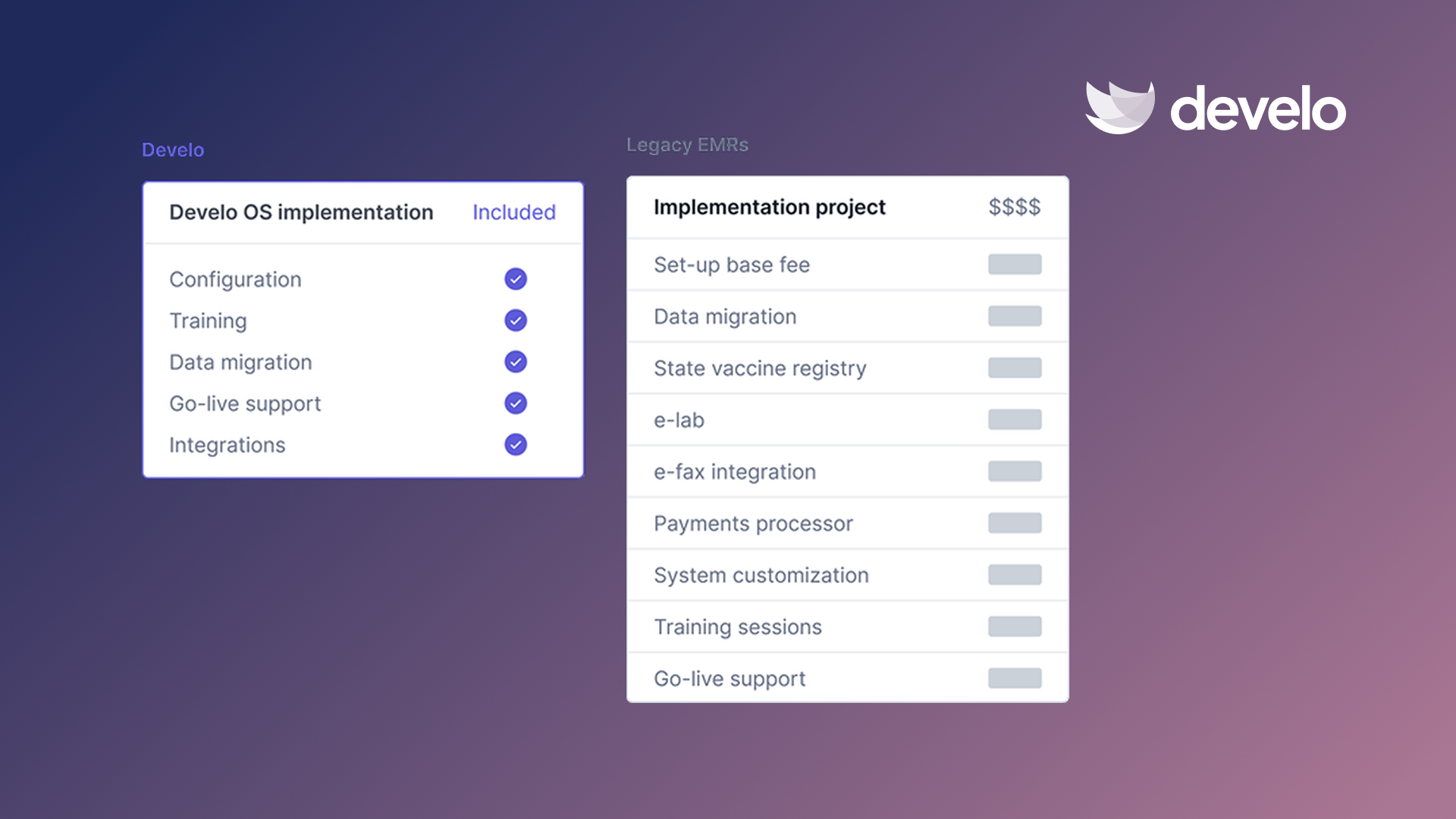
Most of the automation on this list is sold as a separate tool that has to be wired into the EMR and then trusted to write back. Develo removes that layer: the automation is the system, so an eligibility response, a scored screener, or a captured charge lands as structured data in the chart rather than in a dashboard someone has to copy from. Develo is ONC-certified and FHIR-native, and anything the automation can't resolve on its own becomes a task with a name against it rather than a silent failure.
With Develo, pediatric clinics can:
- Draft visit notes and intake with Develo provider scribe and Develo intake scribe, which read the full patient and visit context — history, orders, and prior notes — not just the audio in the room
- Put a broader AI suite to work on the rest of the day: Develo doc intel for tagging and routing inbound e-faxes and documents, Develo AI forms for digitizing practice and patient forms, Ask Develo for catching up on a patient's full record, and Develo reports Q&A for asking the practice's own numbers without building a report
- Apply the right pediatric codes automatically through automated charge capture
- Send and score age-appropriate developmental screeners before the family arrives, with screening tasks that flag concerning results to a provider ahead of the visit
- Run well child visit recall against each child's age and immunization history
- Verify eligibility across every child in a family, including Medicaid, ahead of the visit
- Track vaccine inventory across VFC and private stock in one place
- Push immunization records to state registries and reconcile each child's history against them, without re-keying
All of it runs on the same system that holds the chart, so nothing has to be reconciled between tools afterward.
Book a demo to see workflow automation for healthcare built specifically for pediatrics.
Frequently Asked Questions
What Healthcare Tasks Can Be Automated?
The tasks most often automated include eligibility, scheduling, intake, and billing, plus prior authorization and recall. Clinical documentation is increasingly automated, too, with ambient AI scribes drafting visit notes. Administrative work is usually where a practice sees the fastest return.
Does Workflow Automation Save Money?
Yes, workflow automation saves money by cutting staff time and denials. The 2024 CAQH Index put the annual cost of routine administrative tasks at $90 billion and the savings from moving to fully electronic workflows at $20 billion, and automation lifts first-pass claim acceptance, which protects revenue.
Is Healthcare Automation Safe?
Healthcare automation is safe when it keeps a human involved. The software handles routine steps and routes anything needing clinical or financial judgment to staff. Any tool handling patient data must also comply with HIPAA, including a business associate agreement and audit trails.
How Is Pediatric Workflow Automation Different?
Pediatric workflow automation is different because it runs on age-based rules. Well child visit recall, vaccine and VFC tracking, age-specific screening, and family eligibility all depend on each child's age and history, which a generic, adult-first automation tool struggles to handle.
.png)


.avif)

