.avif)
Pediatric EMR systems fall into two camps. Modern platforms launched this decade for outpatient pediatrics. Legacy software started decades ago and has been patched ever since. The gap between them determines whether your clinic runs like 2026 or like 1996.
Here’s where modern and legacy software vary and how to choose the right one for your pediatric clinic.
What Are Pediatric EMR Systems?
Pediatric EMR systems are electronic medical record platforms built for clinics that treat infants, children, and adolescents. They include features that general EMRs skip.
Those features cover age-specific well child visit templates, immunization registry sync, developmental screeners, adolescent confidentiality controls, and family relationship management across siblings, caregivers, and guarantors.
General ambulatory software can store a child's chart. Pediatric visits have different mechanics, though. Vaccines shift with every AAP immunization schedule update, and again each season as the influenza and COVID-19 formulations change. Medication dosages depend on weight. Guardianship gets complicated with blended families and custody arrangements.
A platform built for adult primary care forces your team to work harder to cover those gaps. Pediatric EMR systems bake those workflows into the core product instead.
Modern vs. Legacy Pediatric EMR Systems: At a Glance
The table below shows how the two pediatric EMR categories differ on the points that matter most to independent pediatric clinics. Let's zoom in on the differences:
What Makes a Pediatric EMR "Legacy"?
Most legacy pediatric EMR systems started as DOS or early Windows applications decades ago. Vendors ported them to web browsers, but the underlying data models never got rebuilt.
That shows up in four real-world ways:
- Click-heavy documentation: Legacy platforms often demand dozens of clicks to finish a single visit. Providers then close charts from home well past clinic hours.
- Third-party patchwork: Intake tools, screener companies, AI scribes, e-fax services, and family reminder apps usually come from separate vendors. You pay each, log into each, and babysit the integrations.
- Slow innovation cycles: Some legacy EMR vendors have been acquired by private equity or larger health IT companies, and clinicians often report slower innovation and less frequent feature releases after those transitions.
- Rigid data models: Adult-first databases treat siblings as unrelated patients. Family structures, teen confidentiality, and shared insurance are then handled with workarounds rather than native logic.
What Makes a Pediatric EMR "Modern"?
Modern pediatric EMR systems start with a different assumption. The child is part of a family unit, and the software should reflect that from the database up. The strongest platforms go further and work as an operating system for the practice rather than a records system with tools bolted around it.
Here are some aspects that make pediatric EMRs modern:
- Cloud-native, FHIR-native architecture: Most modern pediatric platforms run as multi‑tenant web apps, ship updates frequently rather than annually, and expose FHIR APIs to simplify integrations with labs, registries, and hospital systems.
- Automation-first workflows: Repetitive pediatric tasks happen in the background. Your team reviews and approves, rather than typing from scratch.
- Family-first data model: One record holds the relationships among caregivers, siblings, insurance plans, and guarantors. Updates propagate across the family correctly.
- Native AI features: Some newer pediatric platforms now offer native AI scribes that generate notes during the visit and automated charge capture that suggests billing codes based on documentation, reducing the need for separate third‑party tools.
Examples of Pediatric EMR Systems You'll See on Shortlists
Pediatric practices evaluating EMR systems usually land on the same short list. Two are legacy pediatric platforms, one is a general ambulatory system, and one is modern and pediatric-only. Legacy here describes architecture, not effort — both legacy vendors ship new features onto foundations built decades ago:
Office Practicum (OP)
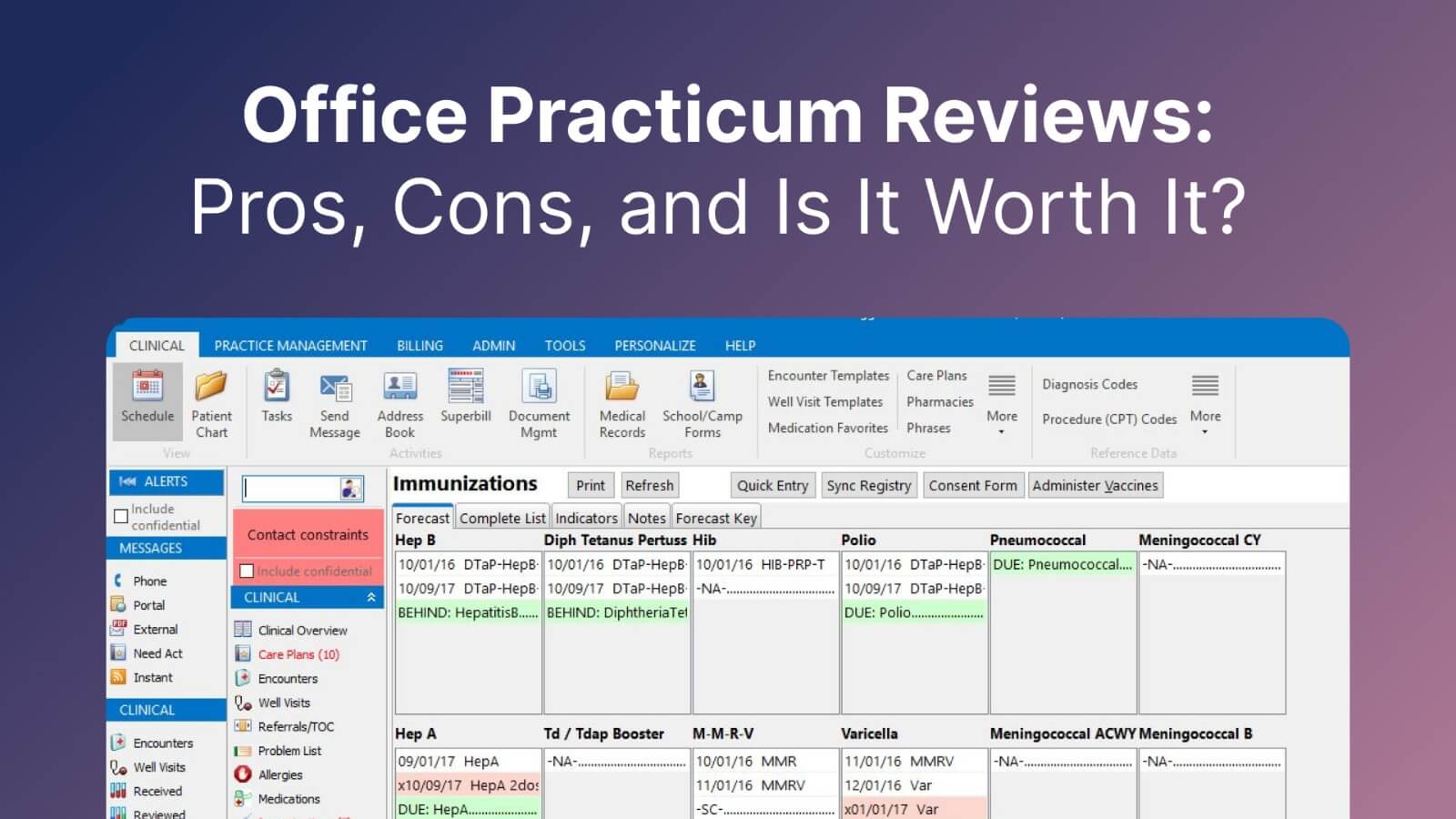
Office Practicum is a legacy pediatric-specific EMR with a long track record in independent practices. The platform covers EMR, practice management, and revenue cycle management.
It holds Drummond's pediatric health IT certification, has a large customer community, and was the first EMR to achieve it.
OP is a frequent pick for practices that value pediatric specialization and a deep peer network. The trade-off is architectural: the product carries the data model and interface conventions of the era it was built in.
Physician's Computer Company (PCC)
PCC is the other legacy pediatric-specific EMR on most shortlists. It has served independent pediatricians since 1983 from its base in Vermont. The company was named Best in KLAS for the Ambulatory Pediatric Solutions segment in 2026.
PCC's reputation rests on strong customer support and a tight user community. Its architecture predates modern cloud norms, but PCC is adding AI capabilities over time. PCC Scribe went live in 2026 as an opt-in, per-user monthly add-on to the PCC Care Plan, currently available to a select subset of PCC practices.
athenahealth
athenahealth is a general ambulatory EMR used across primary care specialties.
Because athenahealth isn’t pediatric‑specific, many practices report relying on configuration and workarounds for vaccine management, complex family structures, and adolescent confidentiality, rather than having these workflows fully tailored out of the box.
Develo
Develo is the first and only AI-native pediatric operating system built solely for independent pediatric practices of every size. It goes beyond the traditional EMR to unify charting, billing, practice management, and family engagement in one system, ships minor releases weekly and major releases biweekly via background updates, and runs a native suite of AI rather than a single bolted-on scribe. The platform is FHIR-native and ONC-certified.
It fits clinics that want a purpose-built pediatric platform rather than a stack of separate vendors wired together.
How Pediatric EMR Systems Compare on Core Workflows
Marketing pages list similar feature bullets. Real differences show up during a busy Monday morning. Here’s how the two categories stack up across the workflows that matter:
Clinical Documentation and Charting
Legacy systems give you templates, but these are often written for general medicine. Modern pediatric EMR systems ship with pediatric-specific content.
Examples include well child visit templates by age, growth charts that plot automatically, and macros that drop in vaccine information statements.
AI scribes take this further. A clinician talks with the family. The scribe transcribes, structures, and places content in the right chart sections before the next patient walks in. The best systems are powered by visit and patient context beyond the audio transcript.
Billing and Revenue Cycle
Pediatric billing has quirks that punish manual coding. Vaccine admin codes vary by age and payer. Medicaid and commercial plans follow different rules. Well child visits carry secondary Z-codes providers routinely skip — BMI percentile (Z68.51–Z68.54), dietary counseling, and screening codes that HEDIS and other quality programs look for.
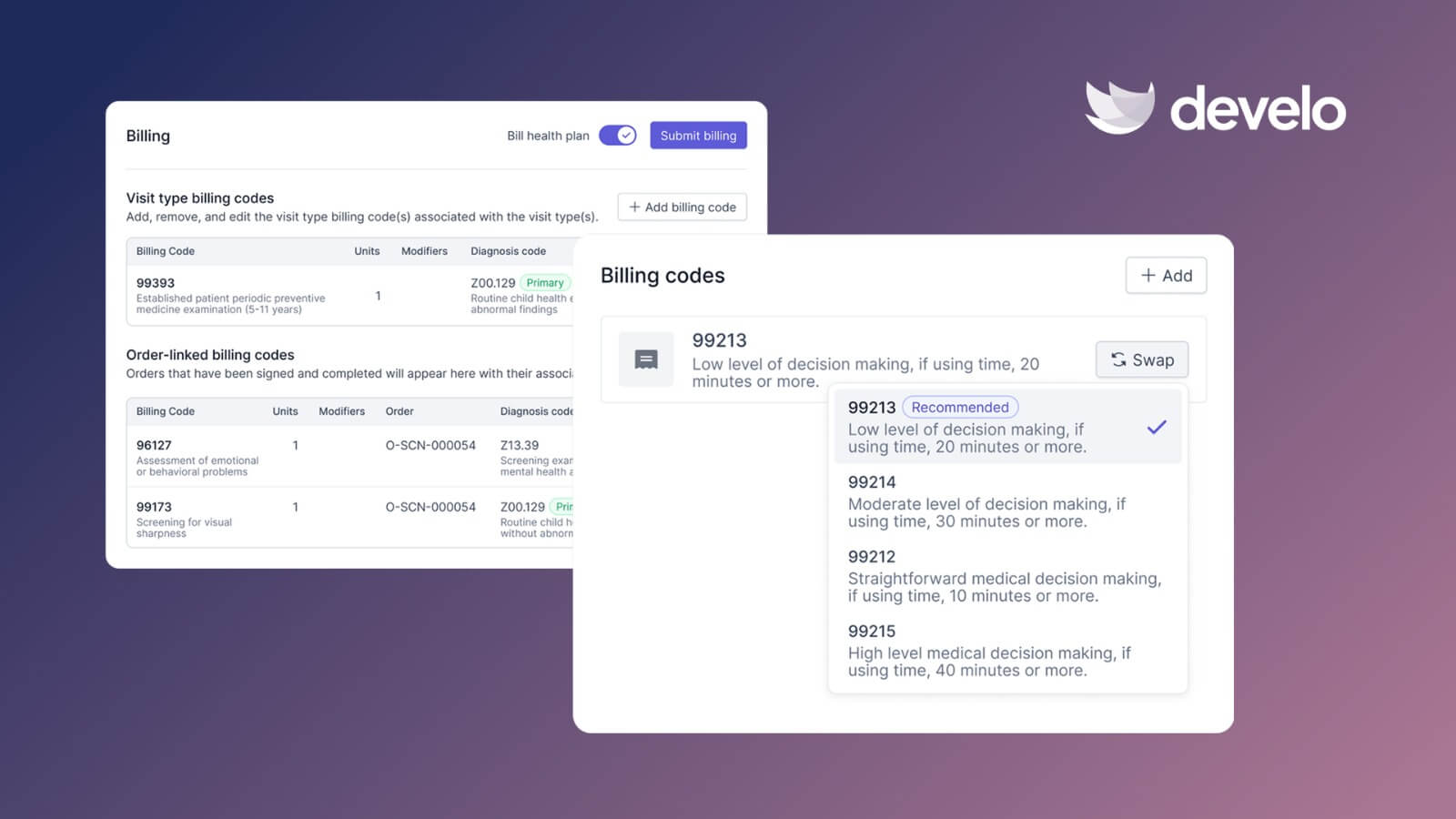
Modern pediatric EMR systems use automated charge capture to pull codes from the visit documentation. The biller reviews suggestions rather than building claims from scratch.
A good billing workflow catches under-coding before claims leave the clinic. Legacy platforms often treat billing as a separate module you buy, configure, and staff around.
Family Engagement and Portal Experience
Legacy patient portals were built to satisfy Meaningful Use checkboxes. Families log in to download a PDF, and that's about it.
Modern pediatric EMR systems offer a family portal with useful workflows. That list includes self-scheduling, secure family messages, dynamic growth charts, immunization records, and online payments.
Strong family engagement cuts no-shows, speeds collections, and reduces phone volume at the front desk.
Digital Intake and Scheduling
Legacy scheduling blocks mirror paper calendars. Check-in still involves clipboards and keyed data entry.
Modern platforms send visit confirmations by text, let families self-schedule eligible visit types, and collect pre-visit intake on a phone. Digital screeners populate the chart directly. Your front desk stops retyping information that families have already provided.
Integrations and Interoperability
Modern pediatric EMR systems typically connect to state immunization registries, labs, e-prescribe networks, and e-fax infrastructure out of the box. Bi-directional flows mean immunization details move in both directions, and lab orders are placed electronically with results added to the chart without manual upload.
Legacy systems often offer these connections as paid add-ons, and connectivity frequently runs in one direction only.
The Hidden Cost of Staying on Legacy Pediatric EMR Systems
Switching EMRs is disruptive. That’s why many clinics stay put even when they know the platform slows them down.
The cost of staying often outweighs the cost of switching:
- Lost revenue from undercoding: When charge capture lives in a biller's head, codes get missed. A vaccine administration billed as 90471 instead of 90460 when counseling was documented, or a second component left off a combination vaccine, repeats across thousands of visits.
- Provider burnout: Hours of after-hours charting drive pediatrician dissatisfaction. Platforms that add clicks make the problem worse.
- Family attrition: Families compare your clinic's digital experience to Amazon rather than to your pediatric neighbor. A clunky portal pushes them to practices that feel modern.
- Staff turnover: Front-desk and biller positions are hard to fill. Tools that make their jobs easier help with retention.
- Compliance risk: The 21st Century Cures Act information-blocking rules and state-level confidentiality laws create unique challenges for adolescent data sharing and portal access, and EMRs that lack fine-grained controls for minors can increase compliance risk for pediatric clinics (Pasternak, Alderman & English, Pediatrics, 2023).
- Coverage that lapses between visits: A child's Medicaid or CHIP coverage can end between two well child visits with nothing sent to the practice. A system that verifies eligibility only for the visit in front of it hands your billers a denial three weeks later instead of a conversation at the front desk. Batch eligibility checks across the full panel are what catch redetermination churn before it becomes bad debt.
How to Evaluate Pediatric EMR Systems for Your Clinic
You already know pediatrics isn’t general medicine. Evaluate vendors against that reality.
Work through the checklist below before signing anything:
- Confirm pediatric focus is native: Ask about family relationship management, adolescent confidentiality, and vaccine registry connectivity. Watch a demo that walks a family with siblings through a visit.
- Ask how the system handles VFC. Vaccines for Children stock is physically and financially separate from privately purchased stock, and the eligibility category — Medicaid, uninsured, underinsured, American Indian/Alaska Native — decides which vial comes out of which fridge. A system that treats eligibility as a billing detail sorted out after the visit leaves your staff reconciling two inventories by hand. Ask to see eligibility captured as discrete data at intake, flowing into both the immunization record and the claim.
- Test the billing workflow end-to-end: Request a walkthrough of a well child visit with vaccines. See which codes get suggested automatically and which ones a biller still has to add.
- Check the integration story: Ask which labs, pharmacies, and registries are supported today. Get specifics on bi-directional versus one-way flows.
- Ask about release frequency: Weekly or biweekly releases signal a healthy R&D budget.
- Review the pricing structure: Comprehensive pricing avoids surprise charges later. Line-item pricing often looks cheaper up front and costs more over time.
- Talk to the support team before you sign: Ask how issues get escalated. Find out who answers your tickets and where they sit.
If your clinic wants to stand out in the local market, pair a capable platform with strong marketing and a welcoming physical space.
Both feed into the same goal: A smoother experience for families starts the moment they walk into your waiting room and continues through every touchpoint afterward.
Get a Pediatric EMR Built the Way You Practice
When comparing pediatric EMR systems, the real question is which platform fits how you run your clinic. Legacy pediatric EMRs carry decades of clinical content. General ambulatory platforms offer broad interoperability.
If you want a platform built specifically for outpatient pediatrics with modern automation and family engagement baked in, that’s where Develo comes in.
Develo replaces the stack of tools your team juggles today with one purpose-built platform.
Switching is the part practices dread, so Develo owns it end to end. Configuration, training, data migration, and go-live support are bundled into your subscription — no separate five-figure implementation project with a line item for every request — and every migration runs on a pediatrics-optimized template built for the system you're leaving, including PCC and Office Practicum. After go-live, the customer success manager who configured and launched your practice is the one you keep, backed by a fully onshore, US- and Canada-based team with published SLAs: same business day for high-severity issues, two hours for critical. No ticket queue, no re-explaining your setup.
Here’s what you can do:
- Run AI across the whole workflow, not one bolted-on scribe — Develo provider scribe writes straight into the note using full visit context, Develo intake scribe streamlines visit intake for nurses and medical assistants, Ask Develo catches you up on a patient, Develo doc intel auto-tags inbound e-faxes and files, and Develo reports Q&A answers plain-English questions of your practice data.
- Maximize reimbursements with automated charge capture that suggests pediatric codes based on what the provider documented during the visit.
- Engage families through a purpose-built family portal with self-scheduling, secure messages, dynamic growth charts, immunization records, and online payments.
- Cut front-desk workload with digital intake, digital forms, and digital screens that families complete from their phones before the visit.
- Stay connected across systems with bi-directional integrations for e-labs, e-prescribe, e-fax, and state vaccine registries that work out of the box.
- Protect adolescent confidentiality and family data with a family-centered data architecture where portal access follows guardian and guarantor relationships across siblings, aligned with the 21st Century Cures Act.
You don't need five subscriptions, three logins, and a spreadsheet to close out Monday on time. You need one platform purpose-built for pediatrics. See how Develo stacks up against legacy and general pediatric EMR systems for your practice.
Frequently Asked Questions
1. What Makes a Pediatric EMR Different From a General EMR?
Pediatric EMR systems include workflows that general EMRs leave out.
The list covers family relationship management across siblings and guardians, age-specific well child visit templates, automated growth charts, vaccine registry integrations, adolescent confidentiality controls, and developmental screening tools.
General EMRs treat every patient as an individual adult, forcing pediatric staff into workarounds.
2. Can Modern Pediatric EMR Systems Support Multi-Site or Larger Practices?
Yes, modern pediatric EMR systems scale to multi-site groups and larger provider counts. Cloud-native architecture, role-based permissions, and centralized reporting handle volume without adding IT overhead.
Larger clinics often benefit the most from automation because the savings multiply across every provider and biller in the group.
3. How Long Does Switching Between Pediatric EMR Systems Take?
Timelines for switching pediatric EMR systems vary by practice size, data migration scope, and vendor readiness. Modern vendors with productized implementations move faster than legacy ones that rely on heavy custom work.
Core steps include data migration, workflow configuration, staff training, and a cutover plan that keeps the legacy system readable for historical lookups after go-live.
4. Which Integrations Should a Pediatric EMR Support?
A capable pediatric EMR should support e-prescribe, e-labs, e-fax, state immunization registries, clearinghouses for claims, and payment processors.
Bi-directional flows matter more than the raw count of integrations. One-way exports force staff to retype data, defeating the purpose of connecting systems in the first place.
.png)