

A few lost minutes at check-in, rooming, and checkout can push a full afternoon behind schedule. When forms arrive half done or a provider can't tell which family is ready, that delay can end up repeating with every patient on the books.
Patient flow optimization treats each visit as one connected process, from the first form a family fills out to the moment they leave. In a pediatric practice, the work centers on handoffs between the front desk, medical assistants (MAs), and providers, plus the time stamps that show where families wait longest.
When you get the handoffs right, your team finishes more sessions on time. The strategies below draw on published quality improvement studies from primary care and pediatric clinics.
What's Patient Flow Optimization?
Optimizing patient flow means planning each step families take through your clinic so they move from arrival to departure with as little idle waiting as possible.
At most pediatric offices, a visit starts with check-in and rooming. After the provider exam, the family moves on to orders or vaccines, then checkout.
In a pediatric office, delays are measured in minutes, so fixes tend to target intake, staffing, and handoffs between team members.
How Do You Manage Patient Flow?
You manage patient flow by:
- Timing each stage of the visit
- Fixing the slowest stage first
- Giving one person the job of moving families through each handoff
For example, families can finish forms at home, MAs can room each patient with a set checklist, and staff can track where every family is, so empty exam rooms don't sit unused.
What Causes Poor Patient Flow in a Clinic?
Poor flow in a clinic tends to come from small, everyday delays that pile up. Watch for these causes when your schedule starts to slip:
- Repeated check-in work: Staff retype paper forms into the chart or redo insurance steps. Duplicated insurance work was one problem that slowed check-in at a family medicine clinic, for instance.
- One-size scheduling: Long well child visits and quick sick visits get the same slot length, so a cluster of long visits throws off the afternoon.
- Starting the session with thin staffing: Several families may arrive at once while MAs are still setting up rooms.
- Unowned handoffs: If no one is in charge of bringing families back from the waiting room, an open exam room can go unused.
- Hidden status: Providers may not know who is roomed and ready. Physicians at the family medicine clinic said they often didn't know how many patients were waiting.
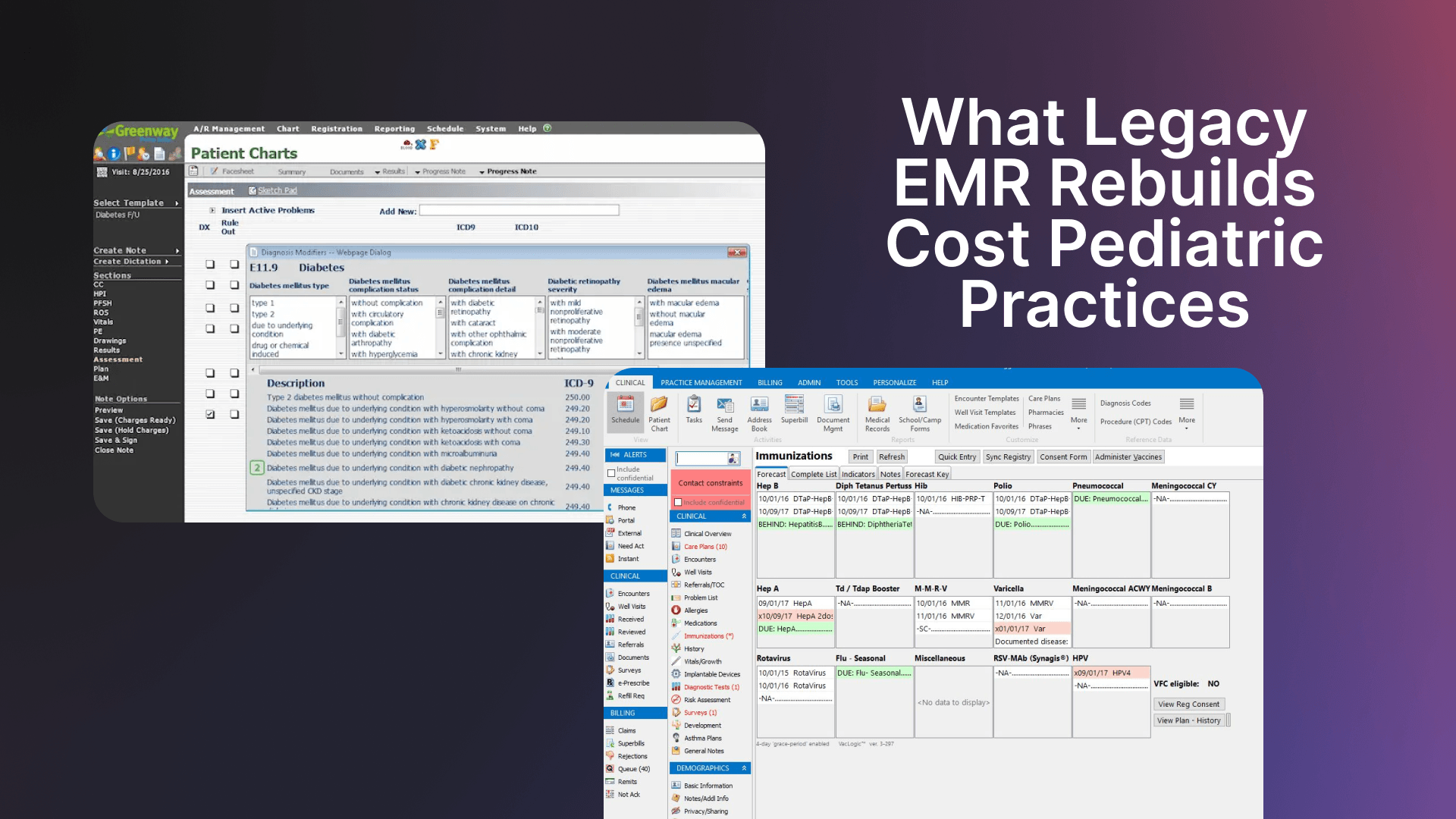
- Disconnected systems: Every handoff between separate software is another place a flow can stall. Many legacy EMRs cover the chart and billing, then rely on add-on intake software for forms and check-in and a separate portal for family messages and payments. Information that doesn't make it back into the chart, duplicate patient records, and staff re-entering the same details in two places all slow the visit down.
One slow step tends to feed the next: a late check-in delays rooming, and the provider starts each visit a little later than the one before.
8 Patient Flow Optimization Strategies for Pediatric Clinics
The first two strategies happen before families arrive, the next four keep handoffs moving, and the last two shorten the lobby wait and checkout. If your time stamps point to a main bottleneck, start there; otherwise, work through these steps in order.
1. Move Check-In Before the Visit
Pre-visit check-in lets families update demographics and insurance, sign consent forms, and complete screeners at home. Front-desk staff confirm what's already there, and fewer parents spend the start of the visit on a clipboard.
A digital intake setup can also send age-based screeners ahead of time, so MAs have results to review when they room the child.
Plus, tightening your registration process can catch insurance problems before the family reaches the desk.
2. Build Schedule Templates Around Capacity
A capacity-based template matches each visit type to the time and staff it needs. Book well child visits in longer slots than sick visits, hold a few same-day sick slots in each session, and stagger arrivals so rooming staff don't face four families at 8 a.m.
Plan for missed visits, too, with a list of families who can come in at the last minute to fill an open slot. Staffing belongs in the template as well, with enough MAs on the floor to room the first patients of each session.
3. Start the Day With a Huddle
A short huddle before the first visit lets the team plan around problems while the waiting room is still empty.
Spend a few minutes on the schedule: flag well child visits with vaccines due, visits likely to run long, and any open same-day slots. If someone is out, clarify any coverage before families start arriving.
4. Standardize Rooming
Give every MA one set of rooming steps for each visit type. For a well child visit, that might mean vitals followed by a medication and allergy check. The MA then reviews screener results and notes any vaccines due.
Stock every exam room with the same supplies in the same places. With a predictable setup, providers should be able to step into any room ready to start, and new hires will only have one routine to learn.
5. Give Every Stage One Owner
Assign one person to each stage of the visit, and make them responsible for handing the family to the next stage. It might look like this:
- Front desk: Confirms intake, collects copays, and lets the MA know when a family is ready.
- MA: Rooms the family, keeps the provider's schedule moving as flow coordinator, and books the next visit before the family leaves.
- Provider: Completes the exam and places orders before leaving the room.
- Checkout: Takes payment and answers billing questions.
At the same family medicine clinic, where MAs took on a flow coordinator role, physicians said a heads-up about the next patient helped them stay on time. Keep that role manageable, since piling on extra tasks can cause its own delays.
6. Use a Live Visit Status Board
A live status board shows where each family is in the visit, so staff can step in before one delay spreads to the next room. Track each family from arrival to ready for checkout, with a status for every stage in between.
Set a time limit for each step, like 10 minutes from room to provider, and have the system flag any family who passes it. Whoever is coordinating can pull the next family forward, swap rooms, or let the provider know that someone is waiting.
7. Cut Waits and Keep Families Updated
Cutting waits starts with faster intake and rooming, and early updates help families cope with any delays that still crop up. Text families when the clinic falls more than 15 minutes behind, and offer to move their visit if the delay grows.
Parents at the outpatient clinics of a children's hospital in Shanghai reported higher satisfaction when they got advance notice of long waits, especially at peak hours and when the delay ran past what they expected.
8. Finish Orders and the Next Booking in the Exam Room
Closing out orders and the next booking in the exam room can cut the wait at checkout.
The MA or nurse gives vaccines, hands over school or sports forms, and books the next well child visit before the family stands up, so checkout can focus on payment. Federal law requires a Vaccine Information Statement (VIS) before each dose of a covered vaccine, so sending VIS links with pre-visit intake lets parents read them at home, with a copy still offered at the visit.
Setting the date early can also keep young children on schedule for preventive care. At one academic pediatric practice, booking visits up to four months ahead, educating parents, and other changes raised completion of the five well child visits due between 2 and 12 months of age from 25% to 78%.
How to Measure Patient Flow
Most of what you need to measure patient flow already sits in your visit time stamps, and your EMR may record many of them automatically.
Time these three intervals for every visit:
- Cycle time: The full visit, from check-in to the end of checkout.
- Door-to-room time: How long a family sits in the waiting room after checking in.
- Provider wait: Time in the exam room before the provider arrives.
Set a target for each interval from your first month of data, then go over the numbers together at a regular staff meeting. The same family medicine clinic reviewed cycle time at monthly meetings and kept testing small changes, which brought its average visit down from 71 minutes to 60 over about 2.5 years, even as patient volume grew.
Check whether your EMR records the moment the provider walks in. If it doesn't, exam room waiting and face time show up as one block, and provider wait can't be measured on its own.
To decide what to fix first, work through these steps:
- Map today's visit: Follow one family from arrival to checkout and write down each step, who owns it, and how long it takes.
- Find the bottleneck: Circle the stage with the longest wait or the widest swings from day to day.
- Test one change: Try a single fix for two to four weeks, then compare your numbers to the starting point.
If cycle time drops, and a short checkout survey tells you families still felt the provider spent enough time with them, keep the change, and move on to the next slow stage.
How Does Patient Flow Differ in Pediatric Practices?
Pediatric clinics have added steps tied to family structure, age, and vaccines.
One family's trip could include two siblings seen back to back, brought in by a grandparent or nanny whose written authorization to consent for the children has to be on file before the visit. Each child may also need age-matched screeners and separate vaccine orders. The balance of well child and sick visits can also change from hour to hour.
A clear pediatric office workflow gives every pediatric-specific task, from sibling check-ins to vaccine orders, a named owner before the first family arrives.
Charting and ordering take time, too. General pediatricians at one academic health system spent an average of 17.6 minutes per visit in the EMR. Trimming clicks in EMR workflows for rooming, notes, and orders can free up time that schedule changes won't reach.
Optimize Patient Flow With Develo
Patient flow optimization in a pediatric clinic gets easier when intake, charting, and the next booking live in the same place, not across an EMR, an intake add-on, and a separate portal. No one has to retype a screener score or hunt for an order while a family sits in the exam room.
Develo is the AI-native operating system for pediatrics, built solely for independent pediatric practices and unifying charting, billing, practice management, and family engagement in one platform.
Features that keep each stage of the visit moving include:
- Digital intake: Before the visit, caregivers update demographics and insurance, e-sign forms, and complete screeners on a smartphone, with no app or login needed. Families who arrive without finishing can check in on a tablet in the waiting room.
- Scored well child screens: Screens go out automatically ahead of well child visits and come back scored in the visit note, ready for the MA to review during rooming.
- Pediatric charting templates: Visit templates bring in orders, diagnoses, and billing codes along with the note, so providers don't rebuild a well child visit from scratch.
- Develo AI scribe: Intake mode captures the chief complaint and rooming history as nurses and MAs talk with the family. Provider mode writes into the visit note from the conversation and pertinent chart data, and a clinician approves every section. The scribe is priced separately.
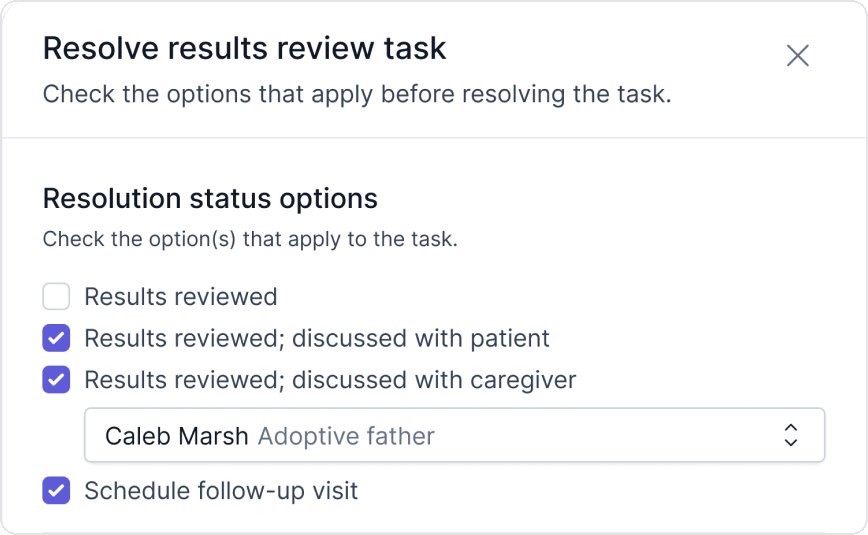
- Task queues: Well child recalls, provider scheduling orders, and family reschedule requests land in automated queues, so a follow-up the provider orders in the exam room reaches staff without a sticky note. Lab results and inbound faxes arrive tagged with the context needed to act on them.
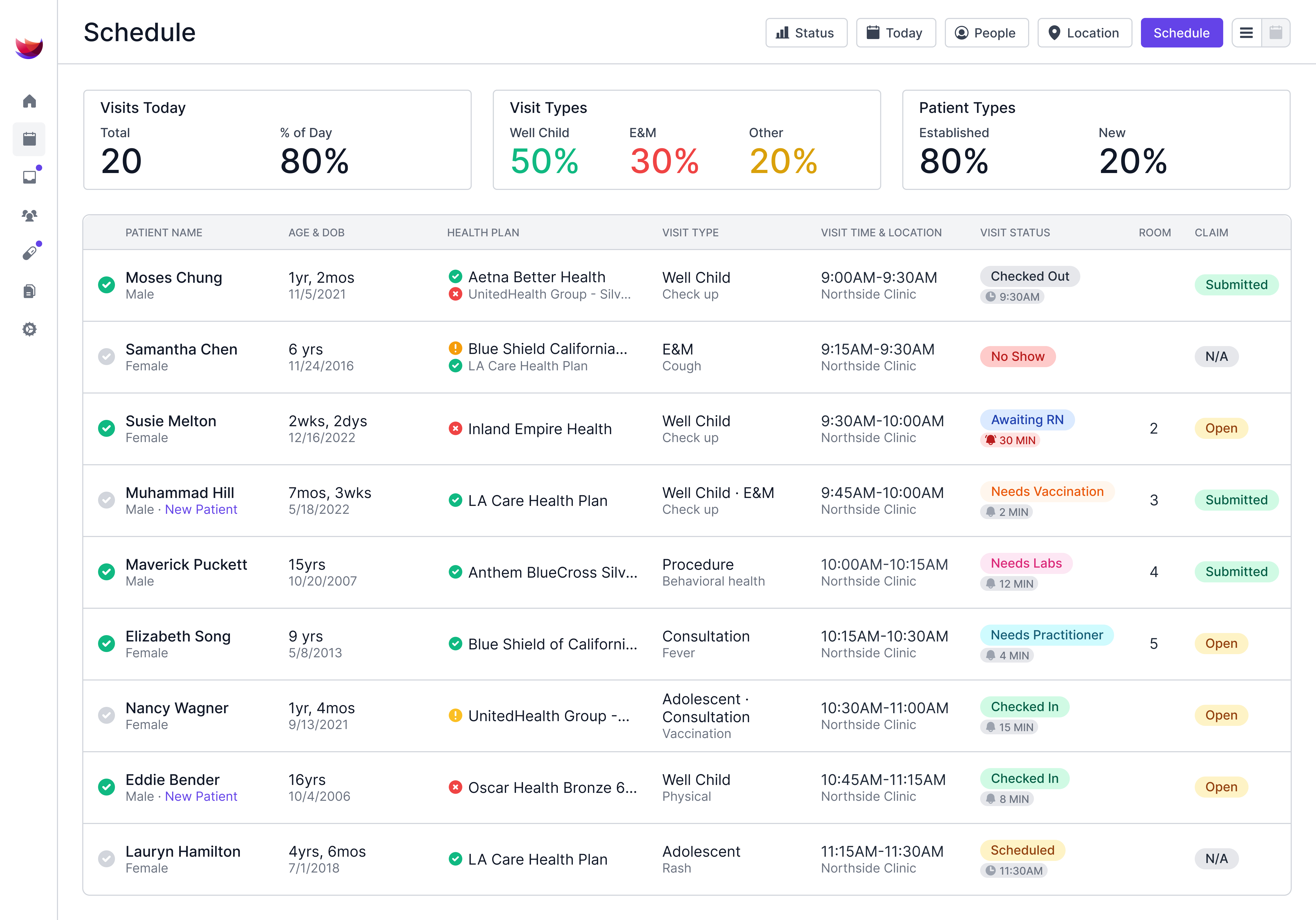
- Schedule table with live status: The schedule table shows each family's visit status and how long they've been in it, and a status turns red when a family has waited too long, so whoever is coordinating can pull the next family forward or let the provider know.
- Visit timestamps you can query: Develo records check-in, rooming, provider-entry, and checkout times, and Develo reports Q&A answers plain-English questions about them, so cycle time, door-to-room time, and provider wait come straight from the visit record.
- Visit reminders and family portal: Automated reminders reach both patients and caregivers, and caregivers can message the practice and pay balances across siblings in one place. Develo tracks each caregiver's relationship to each child, so staff can see at check-in who is authorized to act for that patient.
With less retyping and fewer phone calls, staff time goes to rooming, exams, and families. Book a demo to see how Develo supports patient flow optimization, from pre-visit intake through checkout.
Frequently Asked Questions
What Are the 8 Flows of Healthcare?
The 8 flows of healthcare are a framework for everything that has to move for care to happen. The Virginia Mason Institute's 8 Flows of Medicine are patients, family and relationships, providers, medication, supplies, information, equipment, and process engineering. When one flow stalls, the patient's visit slows with it. Disconnected software makes that more likely: when intake, charting, and the portal sit with different vendors, information has to cross between systems before the next flow can move.
What's the Difference Between Patient Flow and Patient Throughput?
The main difference between patient flow and patient throughput is that flow describes how families move through each stage of a visit, while throughput counts how many visits a clinic completes in a set period. Smoother flow usually lifts throughput too, because providers spend less of each session waiting for the next family to be ready.
Why Is Patient Flow Important for Clinics?
Patient flow is important for clinics because a holdup at check-in or rooming can delay later visits and limit how many patients a provider sees in a day. Better flow can also mean shorter waits for parents, less overtime for staff, and more open slots for same-day sick care.
Can an EMR Improve Patient Flow?
Yes, an EMR can improve patient flow when it's set up to collect intake forms before families arrive, show staff each patient's visit stage, and flag any delays. Systems built for pediatrics can also link siblings' records and send screeners by age, which can cut manual work from well child visits. An EMR that relies on add-on intake software and a separate portal adds handoffs between vendors, while an all-in-one platform keeps intake, charting, and family communication in one record.