.avif)
An EMR workflow is the exact set of steps your team takes in the system to carry one task, a visit or a refill, from start to finish. Mapping it means drawing what happens today, reading that picture for friction, and rebuilding the parts that slow down a busy pediatric clinic.
The stakes are measurable: in a time-and-motion study of 57 ambulatory physicians across family medicine, internal medicine, cardiology, and orthopedics, physicians spent nearly two hours on EMR and desk work for every hour of direct clinical face time (Sinsky et al., Annals of Internal Medicine, 2016). Pediatrics wasn't in the sample, so treat it as a benchmark rather than a pediatric figure. Map your busiest visit first, and you'll finish with a shortlist of the steps worth fixing.
What an EMR Workflow Looks Like in Practice
In practice, an EMR workflow is a chain of handoffs between roles. Picture a routine well child visit. The front desk checks the child in and opens the encounter. A nurse walks the family back, takes vitals, and reconciles medications.
The provider documents the exam, orders labs, and places the vaccine order, which has to come from the right VFC or private stock for that child's eligibility. The biller codes the visit and sends the claim. Most visit workflows run through the same four stages.
- Pre-visit and scheduling: booking, reminders, insurance verification, and forms sent ahead.
- Check-in and triage: arrival, demographic confirmation, copay, and rooming.
- Clinical encounter and documentation: history, exam, assessment, and the note.
- Orders and post-visit: labs, prescriptions, referrals, charge capture, and the claim.
Every handoff in that story is a step in your EMR workflow. Every extra click, retyped field, or dropped task between steps is where you lose time and money, and mapping makes those leaks visible.
Start by Drawing What Happens Today
Start by drawing what happens today, exactly as it runs, before any redesign. You can't fix a workflow you can't see. Sit with the people who do the work. Write down each step, who owns it, how long it takes, and where it stalls.
Record the workarounds too. Staff invent them precisely where the system fights them, so a sticky note or a private spreadsheet is a friction point already marked for you.
A swimlane view is the clearest way to show this. AHRQ recommends swimlanes to clarify what each care team member is responsible for, which can make handoffs between them easier to see. Here's a compact version of a visit workflow, with the friction already flagged.
Copy this table, add a row for each role in your practice, and time a few real visits to fill in the How long column.
Read the Map for Friction
Read the map for friction once the current state is on paper. Most friction points are easy to spot, and they fall into a handful of patterns that each point to a specific fix.
Work the list from the top by volume. A small fix on a step you repeat fifty times a day beats a big fix on something that happens once a month. Before you optimize a step, the AMA suggests asking whether it needs to happen at all, since removing work outright beats making it faster.
Connect the Systems Feeding Your Workflow
Connecting the systems that feed your workflow removes manual steps for good. Anywhere your team enters the same data twice, you have two systems that never learned to talk.
- Labs and imaging: results post to the chart automatically instead of arriving by fax for someone to scan.
- Clearinghouse: claims and remittances move without re-keying, and rejections return to a worklist.
- Immunization registries: the system syncs each dose to the state or city registry and pulls in the child's full history, including doses given elsewhere, so the record is complete before the next visit. The system also has to reconcile duplicates, so a dose recorded in both places doesn't count twice.
- Connected vitals devices: weight, height, and blood pressure flow straight into the chart, which removes the paper card entirely.
- Digital intake: demographics and insurance arrive from the family before the visit.
For a pediatric practice, the registry link carries the most weight. The AAP notes that without access to previous records, staff lose time tracking them down and children can be revaccinated unnecessarily.
Optimize With Four Levers
Four levers cover nearly every remaining fix: standardization, automation, AI, and role fit. Each one removes clicks from a different part of the visit, so a redesign is mostly about deciding which to reach for first.
- Standardization: when a visit type gets its own clean template, documentation follows the same path every time, and the twenty-click note gets shorter. Map the sick-plus-well visit as its own type: a problem addressed during a well child visit needs separate documentation and a modifier 25 E/M line, and it's where generic templates lose the most charges.
- Automation: reminders, refill requests, and eligibility checks are inherently repetitive, so handing them to the system frees your team to focus on work only a person can do. In pediatrics, run eligibility before every visit: Medicaid and CHIP coverage can end between two well child visits with no notice to the practice.
- AI: rule-based automation needs structured input, so it stops at a conversation, a faxed lab result, or a paper form. AI can draft the note from the visit, read and route the fax, and turn the form into structured data, with your team reviewing the draft before anything is signed or filed.
- Role fit: give each person a screen showing the fields and tasks their job needs, and the daily hunt through cluttered pages disappears.
The goal is what ONC, the federal health IT office, calls the future state: a map of how the EMR will create new workflow patterns that improve the practice's efficiency and the quality of care.
Rooming a Patient, Before and After Redesign
Rooming is a good first target, because the fix is small and the time saved shows up the same day. Here's that step as most clinics run it today, then the same step after applying the fix the map called for: a role-based screen and connected devices.
Before redesign: the nurse walks the patient to the room, writes their vitals on a paper card, logs in to the workstation, opens the chart, and enters the numbers. Medication reconciliation happens on a separate screen. The step drags because the nurse does everything twice.
After redesign: vitals flow from connected devices into the chart. The nurse works from a rooming screen built for that job, with medication reconciliation one click away, and spends the recovered minutes facing the patient.
Nothing about that change touches the provider or the biller. That's the point of mapping one pediatric office workflow at a time. You get a clean win, prove the approach, and move to the next stall with a template your team already trusts.
How Often to Revisit Your Workflows
Check your top few workflows once or twice a year. EMR vendors push updates, payers rewrite their rules, and staff slide back into old habits. Three habits keep the map matching reality.
- Track one or two metrics: count clicks and minutes across the entire visit, from check-in to claim, and let the trend tell you when to remap.
- Retrain on a schedule: run a short refresher whenever you change a workflow, and assign one person to train new hires on the mapped version.
- Plan for downtime: outages, updates, and internet failures all happen, so write a fallback covering paper forms for vitals, eligibility checks by phone, and who enters the backlog once the system returns.
When the EMR Is the Bottleneck
Sometimes the map points to a fix your system won't let you make. The template can't change without a vendor ticket, the lab or registry interface is a separate paid project, or the AI scribe your vendor announced isn't available on your version. When most of your stalls come from the system rather than the workflow, pulling the levers harder won't move the numbers. That's the signal to change the system, not just the workflow.
Run the switch like any other redesign. Bring your current-state map to every vendor demo and ask them to run your busiest visit end to end. Then ask exactly how your immunization histories, vitals, and patient-caregiver links will move, since those are where pediatric data migrations most often break.
How Develo Builds Pediatric Workflow Into the Operating System
Develo builds the pediatric workflow into the operating system itself. Many of the stalls in the tables above trace back to one root: a general EMR, built for adult care and retrofitted for children, running beside separate billing, intake, and messaging tools. Develo starts from the opposite end. It's the AI-native operating system for pediatrics, unifying charting, billing, practice management, and family engagement in one system built for children's care.
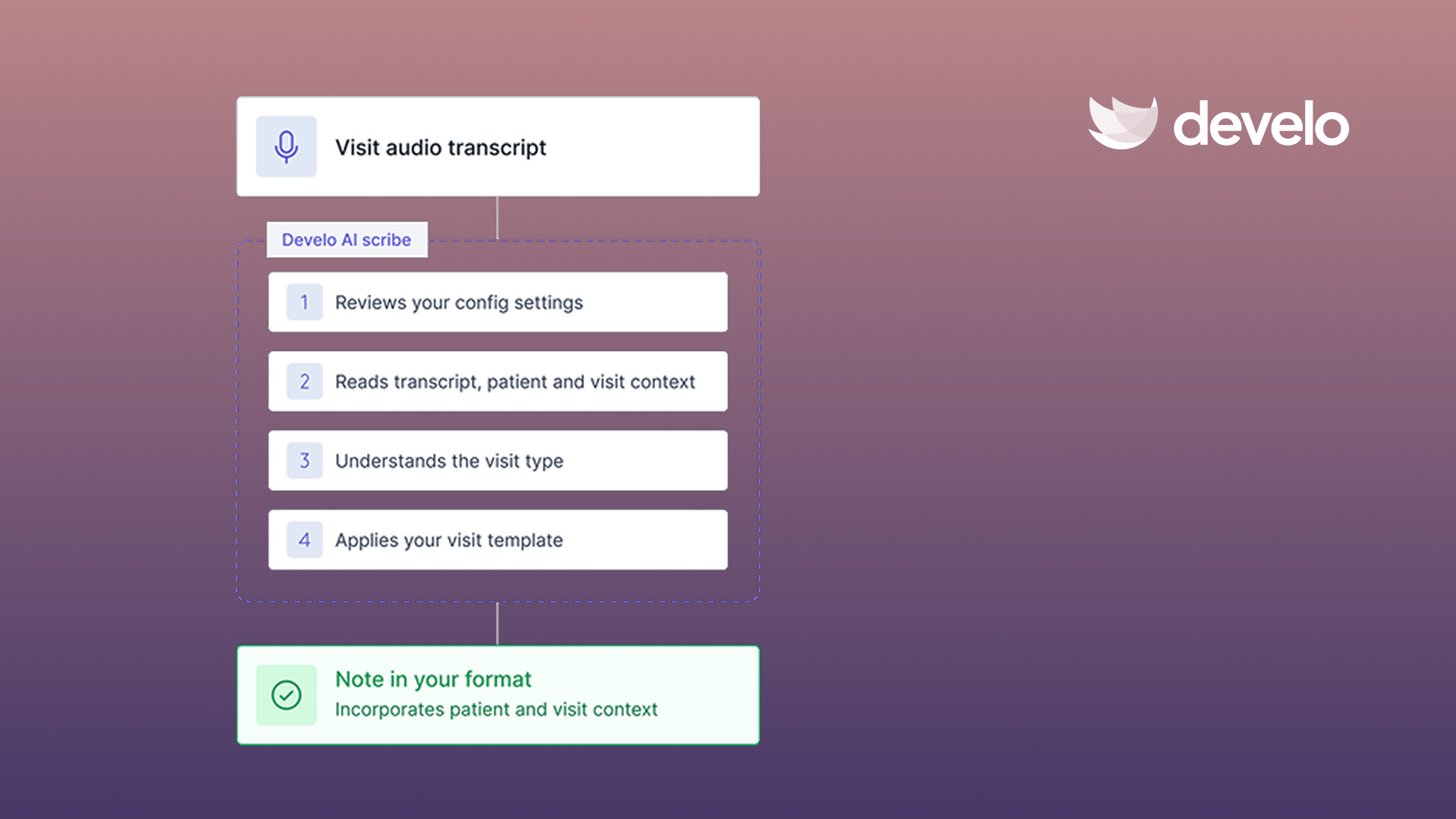
- Develo AI scribe: writes straight into the note using pertinent patient and visit context, not just the audio, so the click-heavy note gets shorter. Develo intake scribe gives nurses and medical assistants the same experience for visit intake.
- AI beyond the scribe: Develo doc intel tags and routes inbound e-faxes and documents, Develo AI forms digitizes practice and patient forms, Ask Develo catches you up on a patient's full record, and Develo reports Q&A answers questions about the practice's own numbers, with your team confirming before anything is filed or signed.
- Automated charge capture: billing and diagnosis codes ride on each order and flow through to charge capture as orders are completed, so fewer charges slip at checkout.
- Pediatric visit templates: well child and sick visit templates bring in orders, diagnoses, documentation, patient education, and billing codes, not just note text, so there's less of your map to redraw.
- Task queues: lab results, inbound e-faxes, well child recalls, and reschedule requests land in automated queues with priority, routing, and full audit history, so no handoff depends on a sticky note.
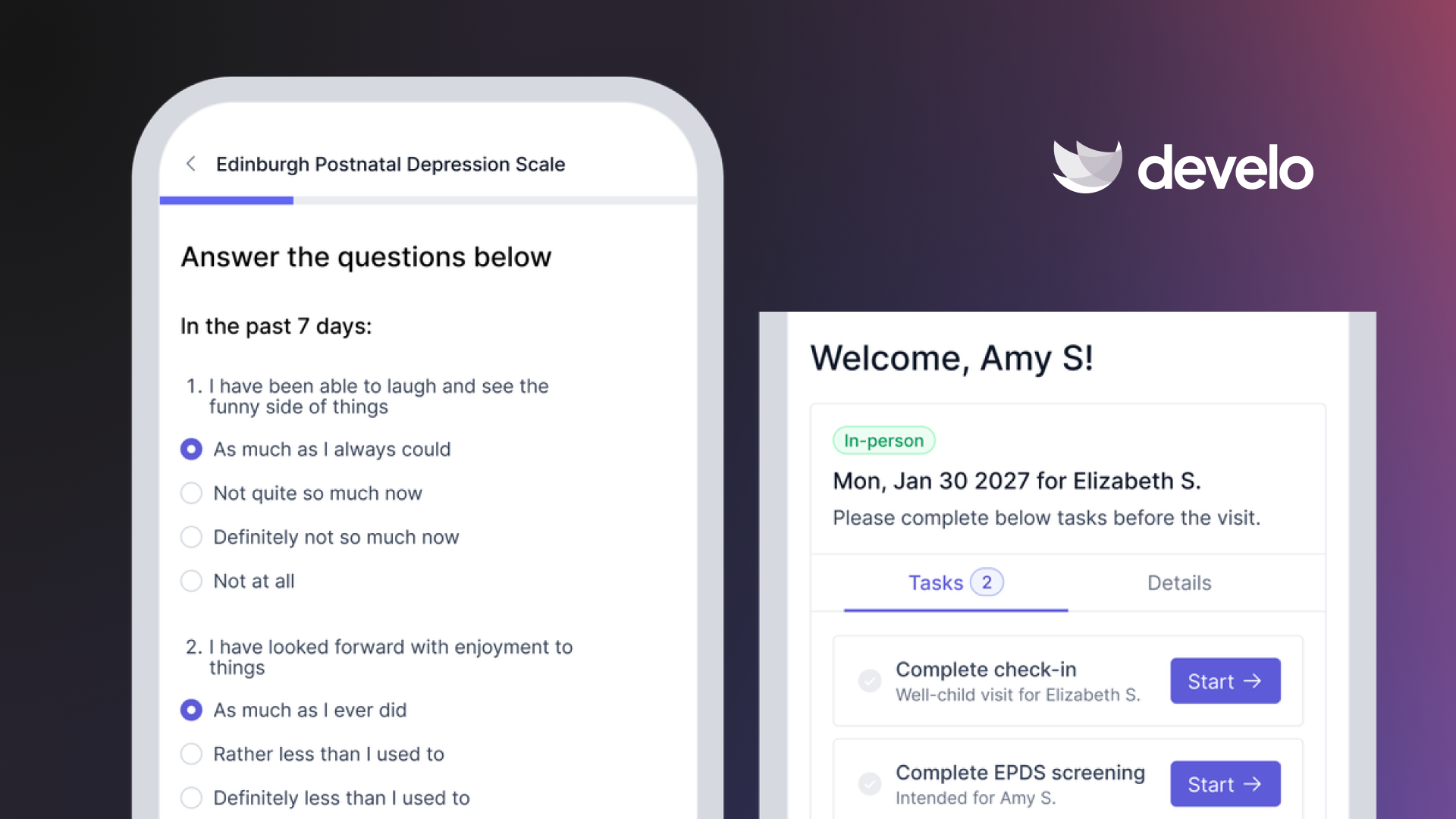
- Connected systems: bi-directional immunization registry integrations sit alongside e-lab, e-fax, e-prescribe, and text messaging, and families complete digital intake before they arrive, so less data gets typed twice.
- Family relationships: siblings, multiple guardians, and blended families are linked natively, a workflow general systems rarely get right.
If you run a pediatric practice and want the workflow shaped for the work from day one, book a demo to see it in action with your own visit types.
Frequently Asked Questions
What Are the Stages of an EMR Workflow?
Most visit workflows run through four stages: pre-visit and scheduling, check-in and triage, the clinical encounter and documentation, then orders and post-visit work. Mapping each stage separately makes it clear which one is costing you time.
How Do You Map an EMR Workflow?
Map an EMR workflow by writing down every step of a task as it happens now, including who performs it, how long it takes, and where handoffs occur. A swimlane diagram puts each team member's role in its own lane. That current-state map is what you read for friction.
How Do You Optimize a Slow EMR Workflow?
You optimize a slow EMR workflow by pulling one of four levers on the step that stalls most. Standardize documentation with a visit-type template, automate repetitive tasks, let AI draft the unstructured work for your team to review, or give staff a screen built for their role. Fix one workflow at a time and keep what moves your numbers.
What Is the Difference Between EMR and EHR Workflow?
In daily use, EMR workflow and EHR workflow mean the same thing: the steps staff follow within the electronic record system. EMR usually refers to the record within a single practice, while EHR implies sharing across organizations. You map and optimize both the same way.
Can Develo Help Pediatric Practices With Their Workflow?
Yes, Develo is built for pediatrics, so well child visit templates, immunization registry connections, and family relationships come ready out of the box. Develo AI scribe and automated charge capture cut the clicks and missed charges that slow down general systems.
.png)
.png)
.avif)