.avif)
An EMR patient portal lets families read the chart, message your practice, book visits, and pay bills against your medical record. In pediatrics, that arrangement runs smoothly until a patient reaches adolescence, when a parent who could see everything starts seeing less, and your front desk fields the call.
Federal access rules and the AAP's 2026 guidance on adolescent privacy both set expectations for what happens at that point, and general patient portals meet them unevenly, which is the gap a family portal is built to close.
Why Do Patient Portals Matter in Pediatrics?
Patient portals matter in pediatrics because the person using the portal usually isn't the patient. A caregiver manages the record for a child who can't log in yet, and as that child grows into a teenager, parts of that record must remain private from the caregiver.
A general portal is built for a single adult managing a single account, so proxy access and adolescent confidentiality get bolted on as exceptions, and practices end up enforcing the law by hand. That's why the feature list below looks different for a children's practice than for a general one.
Which Portal Features Should You Prioritize?
Prioritize proxy access above everything else. Record access, messaging, scheduling, and billing are table stakes that every portal offers, so what really separates one portal from another is how well it handles an entire family.
Proxy access is where a pediatric practice should focus its evaluation, because portals built for adult patients model it differently. Unlike the other features, it can't stay fixed: it has to change as the child grows.
How Portal Access Works for Children and Teens
Portal access works as a series of stages. A parent starts with full access to a young child's record. That access narrows as the child becomes a teenager with confidentiality rights, and it ends at 18, when the young adult controls the account.
Proxy access is the setting behind each stage. It lets a parent view a child's record from their own login, and it has to shift as the child grows.
Getting that shift right is where many practices struggle. They either leave a teenager's confidential care visible to a parent, or cut a parent off before the law requires.
The AAP's policy statement, "Principles for Health Information Technology to Support and Protect Adolescent Confidentiality" (Pediatrics, March 2026), doesn't fix a single age for the change, and practices set it anywhere from about 10 to 14. It asks instead that portals support staged access rather than an all-or-nothing switch.
The table below shows one common configuration. Set your own transition ages according to state law and practice policy.
Where Proxy Access Gets Complicated
Four things complicate proxy access, three of them at the transition from full parent access to adolescent privacy:
- Minor-consent laws: state law decides which services a teenager can agree to alone, and results from those services generally can't appear on a parent's proxy account. Rules differ by state and by service type, so portal settings have to match the law where you practice.
- HIPAA's personal representative rule: a parent is usually the child's personal representative with the right to see their record, but that right narrows when minor-consent laws apply, a court has ordered otherwise, the parent has agreed to confidentiality between the clinician and the teen, or disclosure risks harm.
- Custody and guardianship: separated parents often both hold legal access and each need their own proxy login, while a court order, foster placement, or guardianship change can limit or transfer it. Portal access has to follow the custody documents on file, not whichever adult registered the child.
- AAP guidance: the 2026 policy statement asks for proxy levels that change over time, verified adolescent-only accounts, and billing that suppresses statements disclosing confidential care.
A bill can disclose exactly what a portal setting was built to protect, which is why the AAP names billing separately from record access. The practice's statement is only half of it: the insurer's explanation of benefits usually goes to the policyholder, typically a parent, and can name the provider and the type of care.
How Is a Patient Portal Secured?
Portal security rests on the HIPAA Security Rule, which requires administrative, physical, and technical safeguards for electronic health information. In practice, that means a specific set of controls.
- Encryption: TLS 1.2 or higher for data in transit, per NIST SP 800-52, and AES-256 at rest, as defined in NIST FIPS 197.
- Multi-factor authentication: a second factor at login. HHS proposed making MFA mandatory under the HIPAA Security Rule in December 2024, and the rule was still pending as of mid-2026.
- Role-based access: staff, clinicians, patients, and proxies each see only what their role allows.
- Audit controls: logs recording who viewed or changed a record, when, and from where, the activity 45 CFR 164.312 requires.
- Account lifecycle management: accounts created and closed through your record system, so nobody keeps access after they should have lost it.
- Business associate agreements: signed with any vendor that touches the data.
Ask a vendor where portal data is stored, how long audit logs are kept, and whether a proxy's view narrows as a child gets older. The third question is the one general vendors struggle to answer.
What Federal Rules Require
Three federal rules govern what a portal has to provide.
- Right of access: patients can request their records and generally receive them within 30 days, and a working portal is the easiest way to deliver them.
- Information blocking: portals and practices can't block access to health information, which is why results usually appear as soon as they're finalized.
- Certification criteria: certified systems must offer a standardized API, so a family can use an app of their choice against your record.
All three rules assume the patient is the one reading the record. That assumption breaks in pediatrics. A result that appears within minutes is fine for an adult, but for a teenager whose parent still holds proxy access to a confidential service, the same speed exposes the visit.
The information blocking rule leaves room for confidential care. Its privacy exception lets a practice withhold information when state or federal law requires a precondition, such as a minor's consent, that hasn't been met, as long as the practice follows a written policy or documents each decision. A pediatric portal should apply that hold automatically by service type, so confidential results never reach a parent's proxy view.
Running a Portal in a Pediatric Practice
Portal adoption depends on the workflow a practice builds around it. Six priorities carry most of the weight.
- Enroll at the first visit: sign-up is easiest while the family is still at the front desk, and unnecessary when the system grants access from the demographics you already collected.
- Set proxy rules by age band: decide your transition ages against your state's law and configure them once.
- Explain the change to families early: tell parents at around age 11 what will change and why, so the transition doesn't feel like an error.
- Give teens their own credentials: a shared login makes every confidentiality setting behind it useless.
- Route messages to a named owner: clinical questions that sit unanswered turn into phone calls, so fold the portal queue into your pediatric EMR workflow.
- Move intake online: digital intake completed before the visit gives families a reason to log in before they ever need the chart.
The Hidden Work of Running a Portal
In the traditional EMRs I spent years implementing, the portal runs on its own copy of the family's demographics. The chart keeps one set, where each child's record repeats the same parent's phone, email, and address in separate fields, and the portal keeps another. When a parent changes their mobile number, someone has to update every sibling's chart and the portal account, and any record that's missed sends the next invite or result notification to the wrong place.
New patients add a second round of work. Staff create a portal account for each child, then set up and activate proxy access for each caregiver, and the family still has to accept the invitation and turn access on before anyone can log in. Every step is a place where enrollment stalls.
Ask a vendor how many places a parent's phone number lives, and what happens to portal access when it changes. Then ask them to walk you through every step staff take to grant, change, and revoke portal access.
Why Pediatrics Needs a Family Portal
In pediatrics, one login for one patient was never enough. A portal that can't separate a teenager's confidential care from the rest of the chart leaves a practice two options: hold results back and risk information blocking, or release them and expose care the law protects. A shared family login makes it worse, because every confidentiality setting behind it stops mattering.
A family portal removes that choice. Where a patient portal assumes one patient and one login, a family portal is built around the household, with access matched to each caregiver's legal role and each child's age.
Develo is the AI-native pediatric operating system built solely for independent pediatric practices, unifying charting, billing, practice management, and family engagement in one modern system. Its family portal treats the household as the unit:
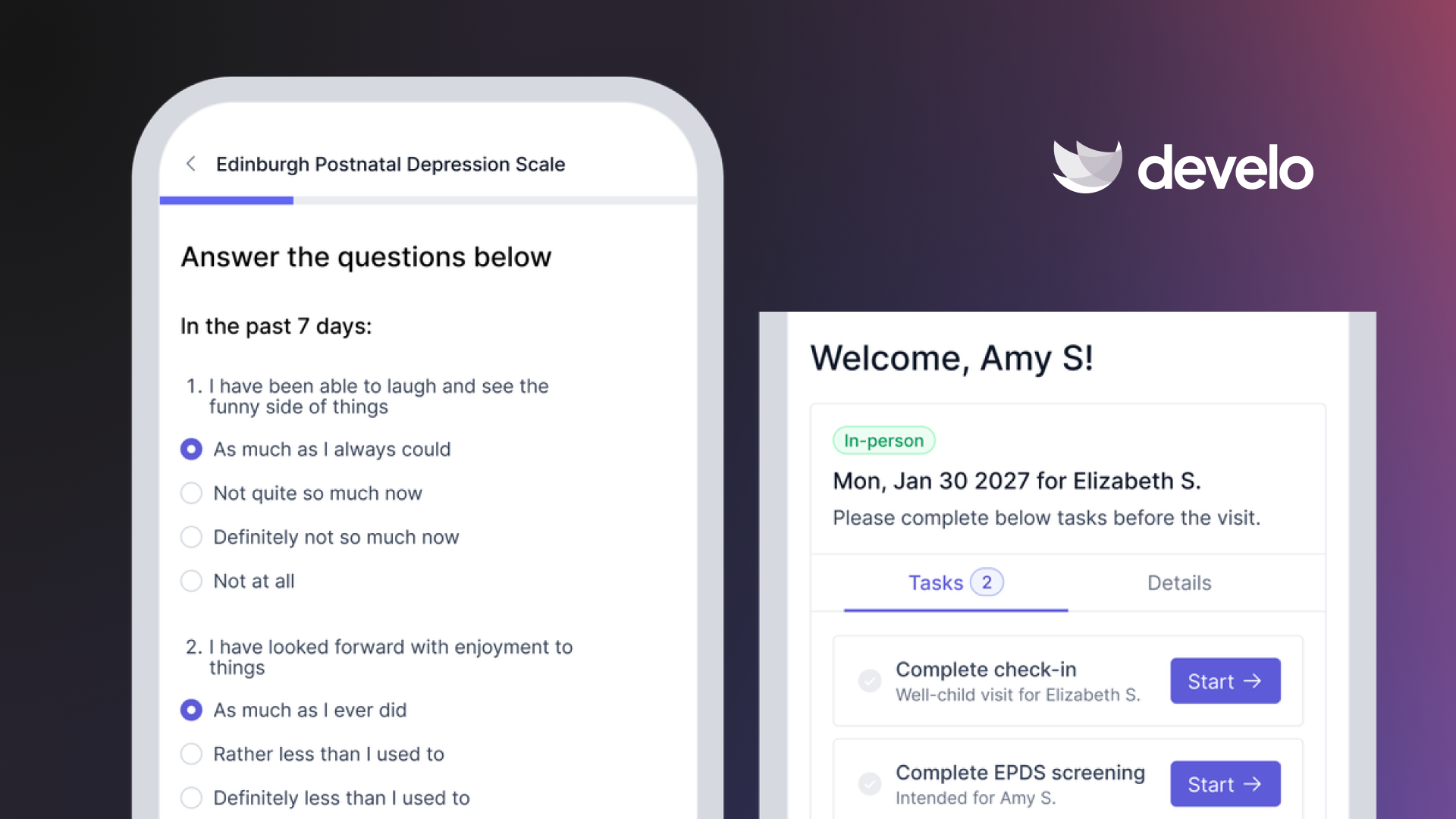
- Individualized access from one set of demographics: each patient, parent, and caregiver gets their own view of the record, driven by the same demographics the chart uses. Update a parent's phone or email once and it changes everywhere, and when a caregiver has a unique mobile number on file, portal access is granted automatically, with no invitation to send or activate.
- Evolving guardian and guarantor roles: access adjusts automatically at the age thresholds your practice sets, and as guardianship, guarantor assignments, and a patient's independence status change over time. This means caregiver access to medical records and payments is fully automated, and specific to the unique relationship between each patient and a given caregiver.
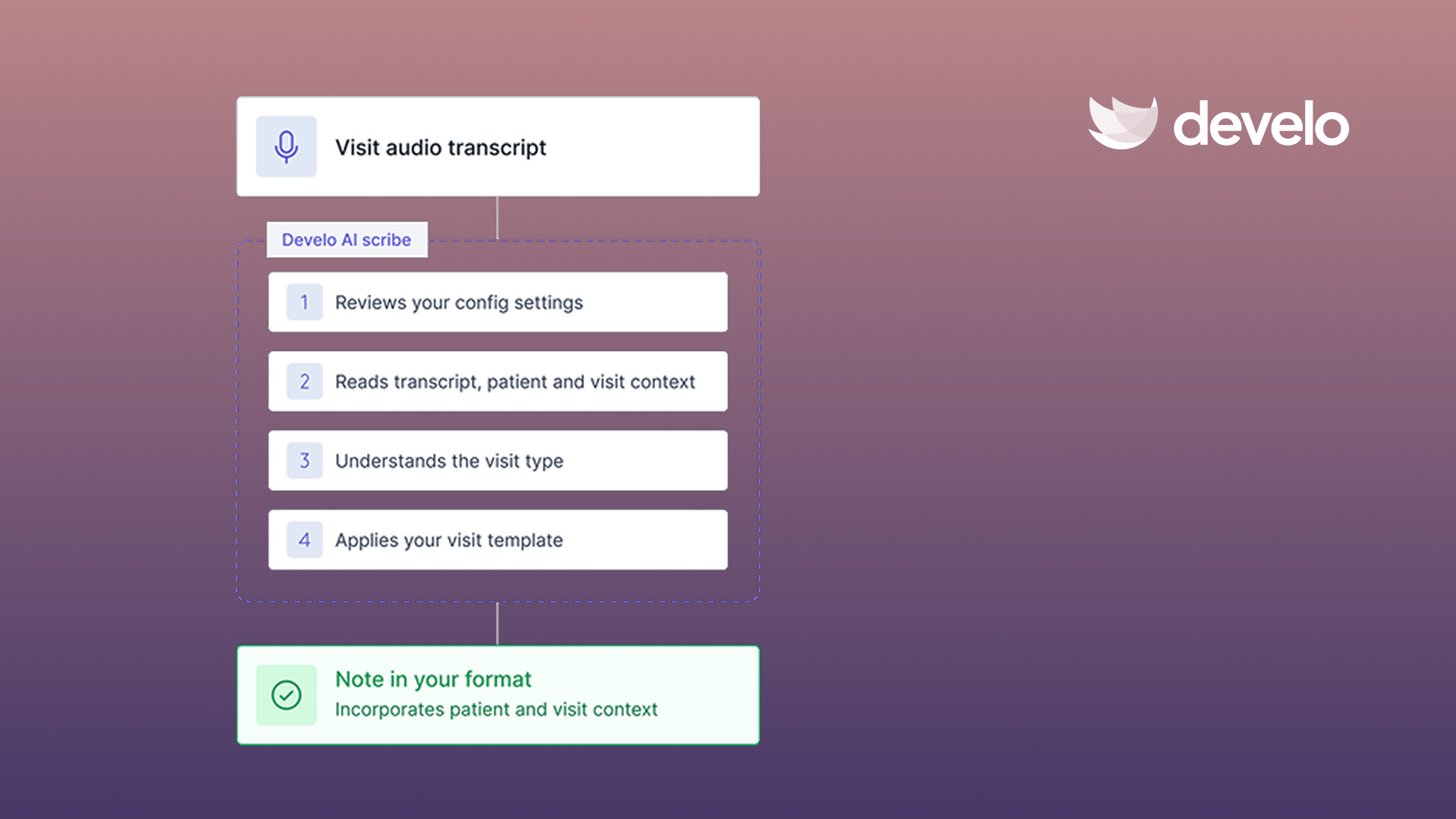
- Adolescent confidentiality: teenagers get confidential visit summaries that include patient education written for adolescents, and their parents see limited summaries. This is paired with Develo’s embedded AI scribe which automatically covers adolescent confidentiality in every adolescent visit.
- Self-serve records: families pull immunizations, growth charts, letters, visit summaries, and pediatrician-reviewed clinical results (labs, radiology reports, referral notes) themselves.
- Family messages: your team answers patient and caregiver messages, including shared pictures and files, in the same system as the chart. Pictures and files automatically save into the patient chart, and family messages can be formally added into the chart where helpful.
- Sibling billing: caregivers see real-time balances across siblings, with statements by guarantor, and pay in full or in part. All payments that are made are auto-posted against underlying charges.
- Security built to ONC standards: multi-factor authentication, role-based access, tamper-resistant audit logs, and encrypted connections, and Develo signs a BAA with every practice.
- Intake and screening: digital forms and screening tools go to the right caregiver by text before the visit, with no portal login required.
No system picks your transition ages. State law sets the boundaries, and your practice decides the policy inside them. Book a demo to see how Develo applies your rules.
Frequently Asked Questions
What Is an EMR Patient Portal?
An EMR patient portal is a protected online account tied to your medical record. Families use it to check results, contact the practice, arrange visits, and settle bills. Permissions decide which parts of the chart each person sees.
What's the Difference Between a Patient Portal and a Family Portal?
A patient portal assumes one patient and one login. A family portal treats the household as the unit: one caregiver can manage several children, each guardian's access follows their legal role, and a teenager's confidential care stays out of a parent's view as the child grows. In pediatrics, where the person logging in is rarely the patient, that difference decides whether the portal can keep up with privacy law.
Are Patient Portals HIPAA Compliant?
A portal is compliant when it meets the HIPAA Security Rule safeguards, which include encryption in transit and at rest, access controls, audit logs, and a signed business associate agreement with the vendor. Compliance depends as much on how you configure and run the portal as on the software itself.
At What Age Do Parents Lose Portal Access to a Child's Record?
Parent access usually narrows between ages 11 and 13 and ends at 18, though the exact ages depend on your state's minor-consent laws. Most practices move parents from full pediatric proxy access to a limited adolescent proxy, then require the young adult's approval for any access after 18. Ask any vendor whether those age thresholds can be set to match your state's law and your practice's policy.
Can Teenagers Have Their Own Portal Account?
Yes, many practices issue adolescents their own login from around age 13. That account carries the teen's full record, including care they consented to themselves. The AAP asks practices to verify nobody else can sign into it.
What Security Features Should a Patient Portal Have?
The security features to prioritize are TLS 1.2 or higher, AES-256 encryption at rest, multi-factor authentication, role-based access, and audit logs. Ask how long logs are kept, where data lives, and whether permissions are automated off of guardian relationships, guarantor links, age bands, and patient status.

.png)
.avif)