.avif)
Pediatric doctor's note templates give your practice a standardized way to document school absences, activity restrictions, and return-to-care instructions without writing each note from scratch.
This article covers what to include in a pediatric doctor’s note, when schools typically require one, and five ready-to-use template examples for common pediatric scenarios.
What to Include in a Pediatric Doctor's Note Template
A strong pediatric doctor's note template covers the essentials without over-sharing protected health information. Here's what belongs on every note:
Practice and Provider Information
List your clinic name, address, phone number, and the treating provider's name and credentials (MD, DO, PA-C, NP). Schools need a way to verify the note's authenticity, so include a direct phone line or fax number.
If your practice uses letterhead, place it at the top. Digital notes generated in a modern EMR should auto-populate this section in a professional manner, saving your front desk time.
Patient Details
Include the child's full legal name, date of birth, and the date of the visit. Avoid including the parent's name unless your template is structured for family-level communication.
Some schools also request the child's grade or the teacher's name. You can add an optional field for this, but it's not a clinical requirement.
Absence Period and Return Date
This is the most important section for schools. Specify the first date of absence and the expected return date. Use exact dates rather than vague language like "a few days."
If the child is returning with restrictions (no PE, no recess, limited activity), note those clearly in a separate line. A routine well child visit won't need this section, but sick visits and injury follow-ups will.
Activity Restrictions (If Applicable)
Some visits result in temporary restrictions rather than full absences. For example, a child recovering from a fracture may attend class but skip PE for six weeks.
Use clear, specific language: "Patient may return to school on [date] but should not participate in physical education or recess until [date]."
Provider Signature and Date
Every pediatric doctor's note template needs a signature line and a date field for the note's issuance date. Digital signatures work, but check your state's requirements.
Some schools may reject notes that lack a physical or electronic signature, so building the signature step into your workflow helps prevent problems.
5 Pediatric Doctor's Note Template Examples
Below are five ready-to-use templates covering the most common scenarios in pediatric practice. Customize with your practice letterhead and keep them accessible for your team.
Example 1: General Sick Visit Absence Note
Use for: Fever, cold, flu, stomach bugs, or other common childhood illnesses.
[Practice Name] [Address] | [Phone] | [Fax]
Date: [Date of Visit]
To Whom It May Concern:
This letter confirms that [Child's Full Name], date of birth [DOB], was evaluated in our office on [Date of Visit] for an acute illness.
[Child's Name] is excused from school/daycare from [Start Date] through [End Date]. They may return to school on [Return Date], provided symptoms have resolved.
If you have questions, contact our office at [Phone Number].
Provider Signature: ___________________________ Printed Name & Credentials: [Provider Name, MD/DO/NP/PA-C] Date: [Date Signed]
Example 2: Contagious Illness Clearance Note
Use for: Strep throat, conjunctivitis, chickenpox, COVID-19, or other conditions where schools require clearance before return.
[Practice Name] [Address] | [Phone] | [Fax]
Date: [Date of Visit]
To Whom It May Concern:
[Child's Full Name], date of birth [DOB], was seen in our office on [Date of Visit] for a contagious condition.
[Child's Name] has been excused from school/daycare from [Start Date] through [End Date].
The patient has been cleared to return to school on [Return Date]. They are no longer considered contagious and may resume normal activities.
Provider Signature: ___________________________ Printed Name & Credentials: [Provider Name, MD/DO/NP/PA-C] Date: [Date Signed]
Example 3: Activity Restriction Note
Use for: Fractures, sprains, post-surgical recovery, or any condition requiring limited physical activity at school.
[Practice Name] [Address] | [Phone] | [Fax]
Date: [Date of Visit]
To Whom It May Concern:
[Child's Full Name], date of birth [DOB], was evaluated in our office on [Date of Visit].
[Child's Name] may attend school but has the following activity restrictions effective [Start Date] through [End Date]:
[ ] No physical education [ ] No recess or outdoor play [ ] No contact sports [ ] Limited stair use [ ] Other: ___________________________
Please contact our office at [Phone Number] with any questions.
Provider Signature: ___________________________ Printed Name & Credentials: [Provider Name, MD/DO/NP/PA-C] Date: [Date Signed]
Example 4: Extended Absence Note (Chronic Condition or Hospitalization)
Use for: Hospital stays, surgeries, or chronic conditions like asthma flare-ups or mental health episodes requiring extended time away.
[Practice Name] [Address] | [Phone] | [Fax]
Date: [Date of Visit]
To Whom It May Concern:
[Child's Full Name], date of birth [DOB], has been under medical care since [Start Date] for an ongoing health condition.
[Child's Name] is excused from school from [Start Date] through [Anticipated End Date]. A follow-up evaluation is scheduled for [Follow-Up Date], at which point an updated note will be provided.
If accommodations are needed during the return period, please contact our office directly at [Phone Number].
Provider Signature: ___________________________ Printed Name & Credentials: [Provider Name, MD/DO/NP/PA-C] Date: [Date Signed]
Example 5: Medication Administration Note for School
Use for: Children who need medication administered during school hours (inhalers, EpiPens, daily medications).
[Practice Name] [Address] | [Phone] | [Fax]
Date: [Date of Visit]
To Whom It May Concern:
[Child's Full Name], date of birth [DOB], requires the following medication(s) to be administered during school hours:
Medication: [Name] Dosage: [Amount] Frequency: [Times per day/as needed] Route: [Oral/Inhaled/Injection] Duration: [Start Date] through [End Date or "ongoing"] Special Instructions: [e.g., "Administer with food," "Student may self-carry inhaler"]
Provider Signature: ___________________________ Printed Name & Credentials: [Provider Name, MD/DO/NP/PA-C] Date: [Date Signed]
When Schools Require a Pediatric Doctor's Note
Not every absence needs a pediatrician's note. Understanding when schools typically ask for one helps you set parent expectations and reduce unnecessary visit volume.
Short Absences (1-2 Days)
Many school districts accept a parent-written note for brief illnesses, although policies vary by district. A pediatrician’s note isn’t usually required unless the school has stricter attendance rules.
If parents call your office requesting a note for a single sick day, your front desk can let them know that a parent note is sufficient in most districts. This frees up visit slots for children who need to be seen.
Absences Beyond Three Consecutive Days
Thresholds are set at the district level, and many districts ask for medical documentation once a child misses three or more consecutive days — though some districts don't treat a physician's note as an excused absence at all. The AAP's clinical report The Link Between School Attendance and Good Health (Allison and Attisha, Pediatrics, 2019) tells pediatricians to "avoid writing excuses for school absences when the absence was not appropriate and avoid backdating to justify absences." This is where your pediatric doctor's note template earns its keep.
Train your checkout staff to ask whether a note is needed before the family leaves. Generating the note during the visit takes seconds with a template and avoids follow-up calls from parents the next day.
Return After Contagious Illness
Schools often require students to meet specific return-to-school criteria before returning after contagious illnesses such as strep throat, pink eye, or chickenpox. The AAP's general guidance is that a child can return once they're feeling better and have been fever-free, but it states plainly that families should follow their local school, district, or state guidance — so the criteria vary.
Your contagious illness clearance template (Example 2 above) handles this quickly. Include the return date and a statement confirming the child is no longer contagious.
Chronic Absenteeism Concerns
Chronic absenteeism is commonly defined as missing 10% or more of school days, which works out to roughly 18 or more days in a typical 180‑day school year.
National data from the U.S. Department of Education's EdFacts system show chronic absenteeism nearly doubled after the pandemic — from about 16% pre-pandemic to nearly 30% in 2021-22, or roughly 14.7 million students missing at least 10% of school days. It has come down since, to 28% in 2022-23, but remains far above where it started.
For these families, a 504 plan or health accommodations plan is usually a better fit than a stream of one-off notes. A 504 plan qualifies on a documented condition that substantially limits a major life activity — asthma, anxiety, a chronic illness — not on the absence count itself, so the diagnosis is what anchors the request. Once it's on file, the school has a standing accommodation instead of calling your office every few weeks.
Daycares Have Stricter Rules
Childcare centers operate under state licensing regulations, not district attendance policy, and those regulations often set exclusion periods a K-12 school wouldn't enforce — a specific number of symptom-free hours, or an explicit written statement that the child is no longer contagious. A note that satisfies a third-grade teacher can be rejected at a daycare front desk for missing that one line.
If your panel skews young, keep the contagious illness clearance template (Example 2) as your default for the under-5 population and confirm your state's licensing language once, rather than per request.
HIPAA and FERPA Considerations for Pediatric Doctor's Notes
A pediatric doctor's note template walks a fine line between providing enough information and protecting patient privacy. Here’s a closer look at some considerations:
What Schools Can and Can’t Request
Under FERPA, health and attendance records that a school maintains in a student’s file are generally treated as education records, which means schools must protect their privacy and can share them only under FERPA’s rules.
Schools can’t demand a diagnosis, treatment details, or access to the child's medical record. Your template should provide only the minimum necessary information.
Minimum Necessary Standard
The HIPAA minimum necessary rule applies here. Include only what the school needs to excuse the absence or apply restrictions.
A well-designed pediatric doctor's note template protects your practice by limiting the fields to visit date, absence dates, return date, restrictions, and provider contact information. Skip the diagnosis line entirely for routine absence notes.
Parent Authorization
When a parent or guardian requests a note and provides it to the school, the school receives only the limited information included on that note. Document the request the same way every time. Some practices add a brief consent line to the template; others log it in the visit note. Either is fine — what matters is that a line naming who asked and what was released exists somewhere, every time, because that's what you'll want if the release is ever questioned.
How to Handle Doctor's Notes in Your Pediatric Practice
Handling doctor’s notes doesn’t need to eat into your clinical time. Here’s how to make the process faster:
Build Templates Into Your EMR
The fastest way to produce a pediatric doctor's note template is to embed it directly in your charting workflow. Develo, the AI-native pediatric operating system, ships built-in documentation templates and macrophrases covering a broad range of administrative and clinical note needs, populated in part from what's already in the chart.
This means your provider clicks a button, adjusts the return date and any restrictions, and the note is ready to print or send digitally. No manual drafting, no duplicate data entry.
Standardize Across Your Practice
If your practice has multiple providers, agree on a single set of templates so every note looks professional and consistent.
When any staff member can generate the right template without hunting through files, your patient throughput improves.
Offer Digital Delivery
Parents lose paper. Offering digital delivery through a family portal lets families access the note when they need it.
Platforms with family portal features allow parents to download and forward notes directly to the school. No phone calls asking for a reprint, no faxing back and forth.
Track and Report
If your practice generates a high volume of absence notes, track the data to identify patterns. A spike in absence notes during flu season might inform your outreach strategy for walk-in sick visit availability.
Tracking also helps flag patients who may need chronic condition management or a referral rather than another absence note. Monitoring trends alongside growth and development data gives your practice a fuller picture of each patient's needs.
Six Common Mistakes to Avoid
Even with a template, there are a few pitfalls that create problems for your practice or the families you serve. Here are the six most common mistakes you’ll want to sidestep:
- Including too much clinical detail: Schools don't need to know the child's diagnosis. Over-sharing creates HIPAA risks and slows down your workflow.
- Vague dates: Writing "out for a few days" forces the school to follow up with your office. Always include specific start and return dates.
- Missing signatures: An unsigned note is an invalid note. Build the signature step into your checkout workflow so it never gets skipped.
- No verification contact: If a school can't verify the note, it may be rejected. Include your office phone number and make sure your front desk knows how to handle verification calls.
- Handwritten notes that are hard to read: Typed or digitally generated notes from your EMR are accepted more readily and look more professional.
- Backdating a note to cover days you didn't evaluate: The AAP tells pediatricians to avoid writing excuses for absences that weren't appropriate and to avoid backdating to justify them. If a parent asks on Thursday for a note covering Monday through Wednesday, the note should say what you can document — that the child was evaluated on Thursday for symptoms consistent with an illness beginning Monday — not assert an evaluation that didn't happen.
Note: If your current system still relies on handwritten notes and manual workflows, it may be time to improve your pediatric office workflow.
Tips for Pediatric Practices That Handle High Note Volume
Busy practices during peak sick seasons can generate dozens of notes per day. A few operational tweaks keep things running smoothly:
- Designate a note workflow owner: Assign one staff member per shift to handle note generation and delivery. This prevents notes from falling through the cracks.
- Batch process notes: If multiple children from the same school are seen on the same day, generate notes together and fax or email them as a batch.
- Set parent expectations at check-in: Ask families at the start of the visit whether they need a school note. Generating it during checkout is faster than handling a callback.
- Create a quick-reference waiting room sign: A simple sign reminding parents to request school notes before checkout reduces after-visit requests.
- Don't create a visit just to generate a note: A parent calling for a school note on a child you've already evaluated doesn't support a new E/M service. Document it as a telephone or administrative encounter against the original visit rather than opening a new one — bringing the child in solely to produce documentation is the pattern payers look at hardest on a Medicaid-weighted panel.
Simplify Clinical Documentation With Develo
If your pediatric practice still creates doctor's notes from scratch or digs through old Word files for a pediatric doctor's note template, there's a better way.
Develo is the AI-native pediatric operating system built solely for independent pediatric practices, unifying charting, billing, practice management, and family engagement in one modern system.
It replaces decades-old legacy EMR systems and the patchwork of generic tools that slow down documentation and create gaps in clinical data.
Here's what you can do with Develo:
- Use built-in pediatric documentation templates for visit notes, well child encounters, and E&M charting that keep your clinical records consistent
- Generate notes and forms digitally with auto-populated patient details, provider credentials, and visit dates so your staff skips the manual data entry
- Share documents through the family portal, where parents can access notes, immunization records, growth charts, and after-visit summaries on their own
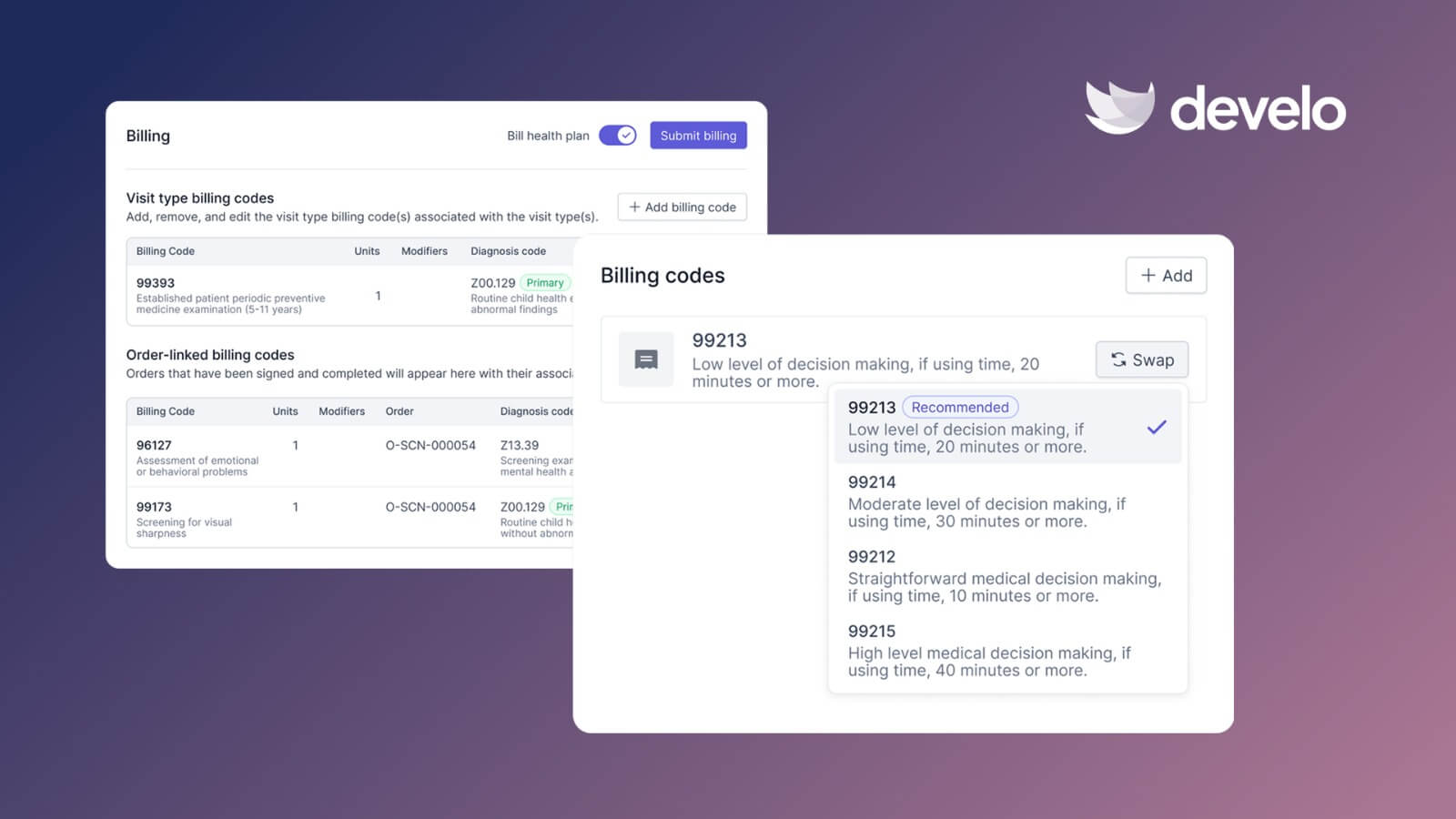
- Automate charge capture with pediatrics-specific billing code logic that reduces under-coding and drives down claim denials
- Complete documentation faster with Develo provider scribe, which writes straight into the note using visit context beyond the transcript, so providers finish charting before the next patient
- Send notes straight out of the chart and file the replies automatically — native e-fax means a school or daycare note goes out without leaving Develo, and Develo doc intel auto-tags what comes back by patient, document type, and sub-type so it lands in the right chart with no manual sorting
- Answer note-volume questions in plain English with Develo reports Q&A — ask how many absence notes went out last week or which weeks spike, and get text and graph answers back from your own clinical and administrative data
You don't need five different tools to run your pediatric practice. You need one platform that handles scheduling, charting, billing, and family engagement from end to end. Book a free demo and see how Develo helps your practice simplify your clinical workflow.
Frequently Asked Questions
1. What Should a Pediatric Doctor's Note Template Include?
A pediatric doctor's note template should include the practice name and contact information, the child's name and date of birth, visit date, absence dates, expected return date, any activity restrictions, and the provider's signature.
Avoid including a diagnosis unless the parent specifically requests it and understands the privacy implications.
2. Do Schools Require a Diagnosis on a Doctor's Note?
No, schools can verify that a child was seen and needs time off, but they can’t require a diagnosis.
Under HIPAA's minimum necessary standard, your note should include only what the school needs to manage the absence. Most districts accept notes that confirm the visit dates and return date without clinical specifics.
3. Can a Pediatric Doctor's Note Be Issued Through Telehealth?
Yes. In many cases, a licensed provider who evaluates a child through a telehealth visit can issue a valid doctor's note, subject to state licensure rules and school or district policies. The note carries the same weight as one from an in-person visit as long as the evaluation supported the clinical judgment behind it.
The note should include the same elements as an in-person visit note. Specify that the evaluation was conducted via telehealth if your state or the school's policy requires it.
4. How Long After a Visit Can a Practice Issue a Doctor's Note?
Most practices issue notes during or immediately after the visit. There's no universal legal deadline, but issuing notes promptly reduces parent callbacks and ensures accuracy. If a parent requests a note days after the visit, verify the details against the chart before generating it.
5. How Do EMR Templates Speed Up the Doctor's Note Process?
EMR templates auto-populate patient demographics, visit dates, and provider information, so your staff only needs to fill in the variable fields, such as return date and restrictions.
This cuts note generation from minutes to seconds, reduces errors, and keeps your formatting consistent across every provider in the practice.
.png)