


If you're weighing AdvancedMD, you've probably noticed the reviews pull in opposite directions. The platform is powerful and deeply customizable; how much you get from it depends on how much setup your practice has the time and staff to take on.
Teams that have someone to configure it rate it highly, but it can be a harder fit for teams that need to be up and running quickly.
After reading verified reviews on Capterra, G2, Software Advice, and Trustpilot, we've compiled what AdvancedMD is really rated for, what it costs, who it suits, and the strongest alternative for pediatric practices.
Who Is AdvancedMD?
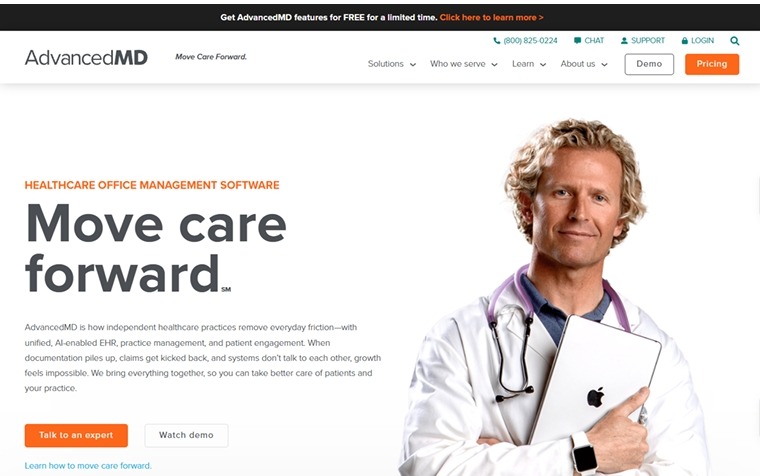
AdvancedMD is a cloud EMR, practice management, and revenue cycle platform for independent ambulatory practices. It has been selling medical office software since 1999, which makes it older than most of the platforms it now competes against.
AdvancedMD's own company timeline lists five acquisitions since 2008, and the current owner is a returning one. Francisco Partners held AdvancedMD from 2008 to 2011 and bought it back from Global Payments on October 30, 2024 for $1.13 billion. ADP, Marlin Equity Partners, and Global Payments each owned it in between.
That turnover is the reason to read the contract closely. New owners, and private-equity firms in particular, often reset pricing, support, and product roadmaps, so it's worth checking where the current owner plans to take the platform before you sign a multi-year deal.
What Does AdvancedMD Do?
AdvancedMD runs both the business and clinical sides of a practice, from booking a visit to collecting the final payment. Instead of separate scheduling, charting, and billing tools, your team works from one login and one patient record. Five core modules make up the platform:
- Practice management: scheduling, insurance and patient billing, claims management, and electronic remittance in a single system.
- EMR and charting: patient charting with templates you can customize yourself, plus ePrescribing.
- Revenue cycle management: claim scrubbing before submission, denial queues, and an optional managed billing service.
- Patient engagement: patient portal, appointment reminders, and telehealth.
- Reporting: dashboards and analytics, with deeper reporting available as a paid add-on.
That's a wide footprint for one subscription, and it's why practices choose AdvancedMD to consolidate several tools into one. The catch is configuration. Turning those modules into a system your team runs comfortably takes weeks, and that's where the reviews divide.
What Does AdvancedMD Integrate With?
AdvancedMD connects to the payers, labs, and third-party tools a practice runs on, and it routes claims through its own clearinghouse rather than an outside one. That clearinghouse reaches 1,800 carriers for claims submission, payment posting, and denial management.
In 2025, AdvancedMD moved to a multi-clearinghouse model, adding Waystar as a preferred option, so practices aren't locked into a single routing path.
- Payers and carriers: claims route to most commercial plans and state Medicaid programs without a separate vendor.
- Labs and imaging: results post to the chart through established interfaces.
- Third-party applications: an integration marketplace covers dictation, patient financing, and communication tools.
The pediatric connections are the ones to check individually. State immunization registry reporting, growth chart data, and VFC inventory tracking are the three a children's practice touches every day.
Ask which registries AdvancedMD already connects to in your state before you sign. Adding a new registry interface is a development project that takes real time and budget.
Ask the same about VFC. Eligibility category — Medicaid, uninsured, underinsured, AI/AN — decides which vial comes out of which fridge, so it has to be captured as discrete data at registration and reach the immunization workflow, not get sorted out later at billing.
AdvancedMD Reviews: What Are Real Users Saying?
AdvancedMD holds a 3.6 out of 5 rating on Capterra and Software Advice, based on 466 verified reviews on each platform, and the same 3.6 on G2 across 63 reviews, all as of September 2026. The quotes below are drawn from those two platforms plus G2 and Trustpilot.
Pros
✅ Scheduling that handles a real clinic day
The scheduler manages multiple providers, locations, and resources in one view, with recurring appointments and automated reminders. For practices running several providers against shared rooms and equipment, this is the module reviewers name first.
“Advanced scheduling as well as great support from product development team.”
Muhammad R., Medical Doctor, Capterra
✅ The clinical screen pulls the visit together
A provider can view the previous note alongside labs, prescriptions, messages, and documents without leaving the chart, eliminating the tab-switching that breaks concentration mid-visit.
“The clinical UI shows the last note, with rapid access to documents, messages, labs, and prescriptions all in one view.”
Scott H., Verified Reviewer, Software Advice
✅ You can change your own documentation
With the right permissions, staff edit templates directly and the changes take effect immediately, with no ticket to the vendor and no waiting on a development queue.
“Ease of use, ability to create/modify documentation”
Kimberly C., Director of Billing, Software Advice
✅ Stable compared with what practices left behind
Those migrating from older systems consistently note fewer crashes and less lost work, and that reliability shows up directly in throughput.
“Fewer bugs which helped with productivity.”
Heather D., Verified Reviewer, Software Advice
✅ RCM support for new practices
Practices without in-house billing expertise get hands-on help from AdvancedMD's revenue cycle staff, which matters most in the first months when claims processes are still being set up.
"Working with the RCM team at AdvancedMD has been extremely helpful for our new practice."
Kacy, Trustpilot
Cons
❌ Standard reporting runs shallow
The included reports offer limited filtering, so practices that want deeper financial analysis have to pay for the advanced reporting add-on. If you manage by numbers, a core need becomes another line item.
“I would like to be able to run more inclusive reports.”
Verified User, Medical Practice, G2
❌ Charting asks for a lot of clicks
Completing a single note means working through numerous fields, and for high-volume practices those seconds compound across a full schedule. It's the complaint that comes more from providers than from administrators.
“Requires filling a lot of boxes to complete one note”
James D., Office manager, Capterra
❌ The quoted price is rarely the final price
Features considered standard, including advanced reporting and some integrations, are priced separately.
“Some useful features cost extra”
Brian Tucker, Healthcare CDO, Trustpilot
❌ Setup is a project, not an onboarding
The prebuilt template library is thin, so most practices build their own, which comes with weeks of configuration before the system feels usable.
“Template setup takes some time to complete”
Scott S., Owner, CFO, Software Advice
❌ Vendor communication grates
Marketing emails cannot be switched off, and this can become an issue for existing customers.
“Inability to unsubscribe from marketing emails”
Amanda J., Therapist, Capterra
What Is AdvancedMD Support Like?
AdvancedMD's support gets mixed reviews. Customer support scores 3.4 out of 5 on Software Advice, below the overall average of 3.6. Reviewers single out particular weak spots while rating other parts of the experience well.
Technical issues get resolved competently, while account changes and billing questions move more slowly. The clearest exception is the revenue cycle service, a separate paid offering: practices that buy it report far more hands-on attention than standard product support provides.
Test it before you sign. Ask how tickets are routed, what response times your contract guarantees, and who you reach when a claim batch fails on a Friday afternoon.
AdvancedMD Pricing
AdvancedMD publishes its pricing upfront. It’s charged per provider per month. A provider is defined as a mid-level clinician or higher
AdvancedMD also offers a second pricing model, called Encounter Pricing, which charges per submitted claim. Charges range from $0.87 to $1.74 for practice management, or $1.08 to $2.17 bundled with the EMR.
AdvancedMD suggests practices averaging 250 to 500 claims a month may find Encounter Pricing cheaper than a flat subscription. Bundling practice management, EMR, and patient engagement together saves up to 40% against buying each separately, and multi-provider discounts are available.
Even so, get a written quote that lists every add-on, because the features that cost extra are exactly what reviewers complain about.
My Personal Take on AdvancedMD
AdvancedMD is a capable platform with one real strength. Almost everything is customizable, and for a multi-specialty group or a billing company juggling many client databases, that flexibility is worth paying for.
Customization is the price of entry here. Reviewers describe hours of template building before the system fits how a practice documents, and a practice without a staff member who enjoys that work will struggle in the first six months.
Functionality scores highest at 3.6, while value for money drops to 3.3 and customer support to 3.4. Users rate what AdvancedMD does above what it costs and how it's supported.
Software Advice secondary ratings, verified September 2026.
How Long Does AdvancedMD Take to Implement?
Reviewers across Capterra, Software Advice, and G2 describe go-live landing somewhere between one and three months, with the spread driven by configuration rather than by the software. Three things decide whether you land at the shorter or longer end.
- Template building: most practices build their own, and this is where the weeks go.
- Training hours: onboarding is included, though reviewers describe needing more time than scheduled once staff hit real workflows.
- A named owner: practices that assign one person to own configuration before go-live consistently report shorter timelines.
Budget staff time as carefully as money. The real cost lands on your team's hours, and that's the line no quote shows you.
Is AdvancedMD Right for You?
You might like AdvancedMD if you:
- Run a multi-specialty group or billing company that needs one system across many providers and databases
- Have staff time and appetite to build and maintain custom templates
- Want practice management, EMR, and revenue cycle from a single vendor
- Value flexibility over out-of-the-box speed
You should look elsewhere if you:
- Run a pediatric practice needing well child workflows, vaccine coding, and family-level billing built in
- Want a system your team can run within weeks, with strong prebuilt templates
- Need predictable pricing without a menu of paid add-ons
- Have no staff member who can own system configuration
Is AdvancedMD Good for Pediatric Practices?
AdvancedMD works for pediatric practices, though it treats pediatrics as one specialty among many. Three things a children's practice does every day need setting up first:
- Component-based vaccine administration: the counseling-based codes a pediatric schedule runs on — 90460 for the first component with counseling and 90461 for each additional, versus 90471–90474 without — don't fire from documentation. On a five-component visit that's the difference between one administration line and six.
- Family and guarantor structure: siblings, split custody, and shared balances need to be built; they don’t arrive as defaults.
- Age-based well child visit coding: preventive codes don't fire automatically based on patient age.
All three can be configured. The question is whether your practice has the months and staff time that configuration takes, in addition to the template work every AdvancedMD practice faces.
Why Develo Is the Best AdvancedMD Alternative for Pediatric Practices
If you've read this far, you're likely weighing AdvancedMD against one or two alternatives. The harder question is where to move to, and the answer turns on specialty EMRs — we compared the five strongest AdvancedMD alternatives for pediatrics side by side. Develo is the AI-native pediatric operating system built solely for independent pediatric practices, unifying charting, billing, practice management, and family engagement in one modern system.
It was designed for outpatient pediatric care from the first line of code, so none of it was adapted from an adult-first platform. The practical difference is what arrives configured. Where AdvancedMD hands you a blank slate, Develo ships with pediatric logic already built in.
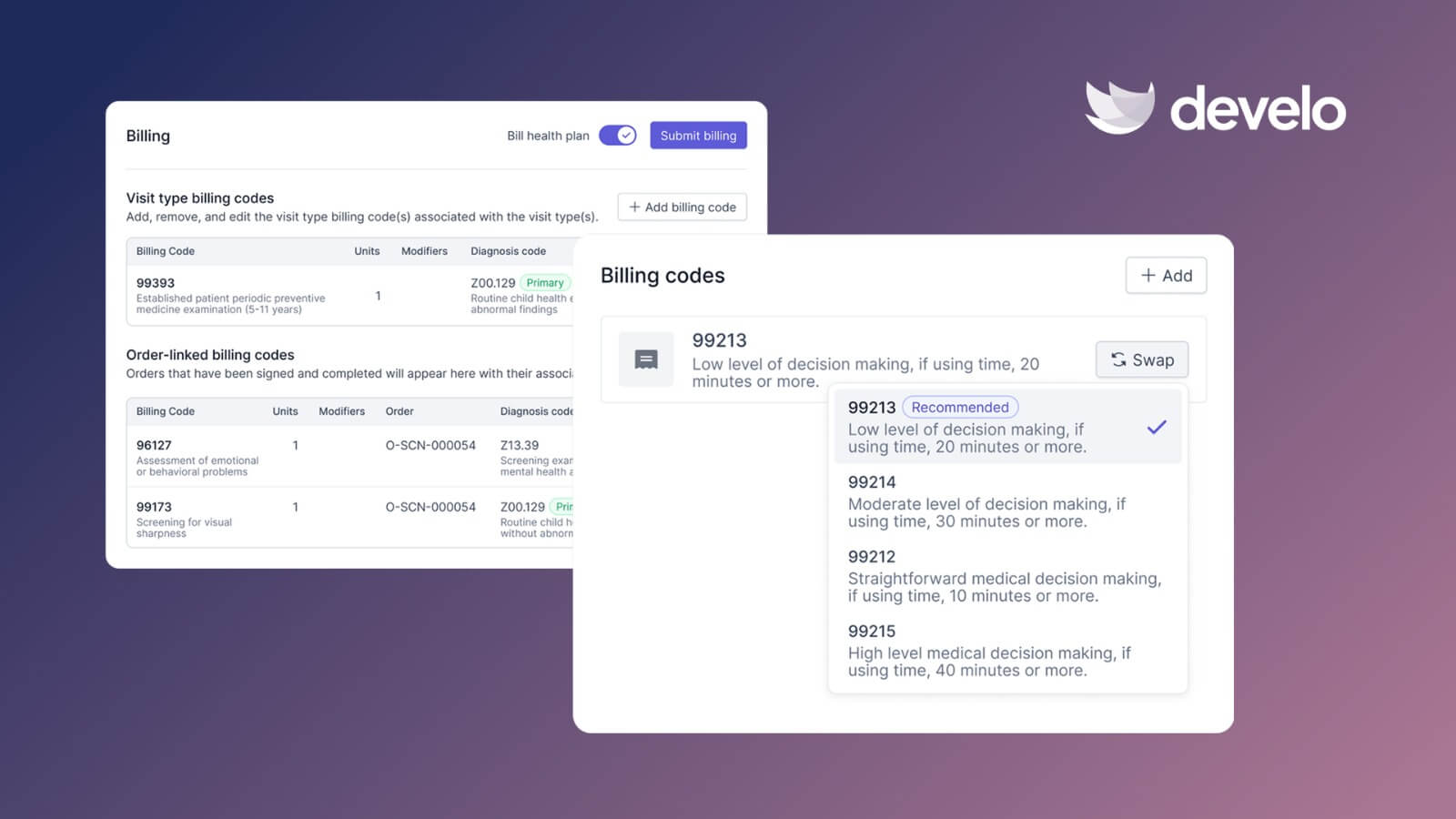
- Automated charge capture: applies the correct pediatric codes from the visit documentation, including age-based well child visit codes and vaccine administration codes, so charges reflect what was performed without a separate coding pass
- Family-level records: hold siblings, guardians, blended families, and shared balances together, so your front desk stops entering the same household three times
- Digital intake: families finish digital intake forms before arrival, covering demographics and developmental screens, which takes the pressure off the front desk at check-in
- A suite of AI, not one scribe: Develo provider scribe drafts the note from patient history, vitals, and well child visit context, so charting is finished before the next room is ready — alongside Ask Develo for chart catch-up, Develo doc intel for auto-tagging incoming faxes and uploads, and Develo reports Q&A for plain-English questions of your own data
- VFC and private vaccine stock: separate inventories tracked in the chart, with bi-directional state immunization registry reporting and no per-interface connection fee, so the right dose comes out of the right fridge and the right code lands on the claim
- Configured before your first login: pediatric templates, order sets, and charge capture rules ship built, and implementation, training, data migration, and go-live support are in the subscription with no implementation fee — so there is no template-building project between signing and seeing patients
- Comprehensive pricing: charting, billing, practice management, and family engagement under one quote sized to your practice. The Develo AI scribe is currently the only AI capability priced separately.
The two complaints that dominate AdvancedMD's reviews, cost creep and configuration burden, are precisely what a single pediatric platform takes off the table.
Book a demo to walk a well child visit, a vaccine claim, and a family statement through Develo using your own visit types.
Final Verdict
AdvancedMD reviews average 3.6. It’s a capable platform for a multi-specialty group or a billing company, provided someone on staff enjoys configuration work. A pediatric practice is a different case, because the workflows you would spend six months building are the ones Develo starts with.
Frequently Asked Questions
What Is the Starting Monthly Cost of AdvancedMD?
AdvancedMD starts at $130 per provider per month for mental health and $429 for medical specialties, rising to $1,070 by specialty and module. A per-claim option, encounter pricing, runs $0.87 to $1.74 per claim and suits practices averaging 250 to 500 claims a month. Add-ons and setup are priced separately: setup runs from free to $6,000 depending on practice size, and data migration from $800 to $2,000. See our full AdvancedMD pricing breakdown.
Is AdvancedMD a Clearinghouse?
No, AdvancedMD is a full practice management and EMR platform, not only a clearinghouse. It does run its own clearinghouse, connecting to 1,800 carriers, and added Waystar as a preferred option in 2025. Claims routing is built in, but it's one part of a wider platform.
Does AdvancedMD Have a Steep Learning Curve?
Yes, AdvancedMD has a steeper learning curve than most EMRs. Reviewers point to click-heavy charting and weeks of template configuration before the system feels natural. Practices that put one person in charge of setup and budget real training time ramp up faster.
Is AdvancedMD HIPAA Compliant?
Yes, AdvancedMD is built for HIPAA compliance. Its security program documents HIPAA policies, staff training, and data encryption, and its telehealth is compliant with HIPAA security requirements. Compliance still depends on how your team handles access and data.
What Are the Biggest Downsides of AdvancedMD?
The most-cited downsides are a lengthy setup, uneven customer support, and add-on costs that push the total above the quoted price. Reviews also note thin prebuilt templates outside its core specialties. For pediatric practices, a purpose-built platform avoids that cost and setup burden.



.avif)
