


A patient intake form becomes protected health information (PHI) the moment it links a patient's name to any information about their health. From there, the same HIPAA rules that govern your EMR apply to the form, and a HIPAA-compliant intake form is one that meets them end to end.
Regulators take this seriously. The Office for Civil Rights, which enforces HIPAA, can cite a practice for a missing audit control or an unsigned vendor agreement on its own, even without a breach. The good news is that a purpose-built system handles most of the technical requirements, leaving your team the policies and the risk analysis.
This guide is for independent pediatric practices that collect intake digitally. It maps each requirement to what regulators actually enforce, so you can tell real compliance from a workaround that only looks safe.
What Makes an Intake Form Subject to HIPAA?
An intake form falls under HIPAA the moment it collects individually identifiable health information. That includes the obvious clinical fields, plus identifiers like name, birth date, or phone number when they sit alongside anything health-related, including the reason for the visit.
Format changes which rules apply, not whether HIPAA does. The Privacy Rule covers a paper form, a PDF, an online form, and a mobile intake flow alike; the Security Rule adds its safeguards the moment that data is electronic. For a digital intake form, that means the practice is handling ePHI from the first field to wherever the data finally lands.
Three parts of HIPAA apply to that data:
- The Privacy Rule: limits uses and disclosures of PHI to the minimum necessary, requires you to tell patients how their data is used, and gives them the right to access it.
- The Security Rule: requires administrative, physical, and technical safeguards for electronic PHI, including access controls, encryption, and audit logs.
- The Breach Notification Rule: requires a process to detect, assess, and report incidents involving PHI.
The 5 Core Requirements for a HIPAA-Compliant Intake Form
Five requirements do most of the work. A form that meets all five is on solid ground; missing even one creates exposure.
1. A Signed Business Associate Agreement
If any vendor touches the form data (the form builder, its hosting, analytics, or even a support-chat tool), you need a signed Business Associate Agreement (BAA) with them before collecting any patient data.
The BAA legally binds the vendor to protect PHI and defines breach responsibilities. Using a platform without a BAA is itself a violation of 45 CFR 164.502(e), even if the platform is secure and no data is ever exposed.
2. Encryption in Transit and at Rest
PHI must be encrypted both while it moves (e.g., when a patient submits the form) and while it is stored afterward. HHS points to NIST guidance for both: SP 800-52 (TLS 1.2 or higher) for data in transit and SP 800-111 for data at rest, where AES-256 is the common choice. Encryption done to that standard also earns a safe harbor: if encrypted data is lost or stolen and the key isn't, it isn't "unsecured" PHI, and no breach notification is required.
Encryption is currently an "addressable" specification, which doesn't mean optional: a practice must either implement it or document why an equivalent alternative is reasonable, and regulators rarely accept the alternative. A proposed 2025 update would make it explicitly mandatory. It was still not final as of September 2026, so building on encryption now is the safe move.
3. Access Controls and Audit Logs
Only authorized staff should see submissions, and the Security Rule's audit controls standard (45 CFR 164.312(b)) requires the system to record who viewed or changed PHI, when, and how.
Role-based access controls and multi-factor authentication limit exposure, and immutable audit logs let you investigate incidents and prove compliance during audits.
4. Secure Handling After Submission
The form is only the start. Submissions should route straight into a secure system, never into plain email, analytics tools, or chat transcripts that lack a BAA. The safest setup writes intake data directly into the chart, then clears it from the intake layer once it's synced.
5. Documented Consent and Notices
Families need your Notice of Privacy Practices, and you need a good-faith effort to get their written acknowledgment, or a record of why you couldn't. E-signatures count, and HIPAA doesn't prescribe a format, but a system that records who signed and when gives you that documentation automatically. An emailed PDF leaves you reconstructing it from an inbox.
Common HIPAA Intake Mistakes
Most violations trace back to a handful of avoidable errors.
- General-purpose tools: using a consumer survey or form builder that never signed a BAA.
- Emailing forms: sending PHI in plaintext across networks you don't control.
- Over-collecting: asking for a Social Security number or open-ended notes that widen breach exposure for no benefit.
- PHI in analytics: letting reporting or A/B-testing tools capture patient data without protection.
- Skipping the workflow audit: reviewing the form itself, but never checking who can access the data or where it flows next.
- Leaving intake out of the risk analysis: every new form tool, texting service, or integration belongs in your Security Rule risk analysis, the requirement OCR built a dedicated Risk Analysis Initiative around.
Best Practices for HIPAA-Compliant Intake
Beyond the baseline, a few habits make intake both safer and easier to use.
- Collect only the minimum necessary and explain why each sensitive field is required, which lowers both risk and abandonment. Keep forms short and mobile-first.
- Use conditional logic so patients only see fields relevant to their visit, and validate inputs in real time without exposing PHI.
- On the back end, route submissions automatically to scheduling, eligibility, and the chart to eliminate manual re-entry that drives both errors and exposure.
- HIPAA sets no retention period for medical records (only six years for compliance documentation), so state law governs. For pediatric charts, the AAP recommends at least 10 years, or the age of majority plus your state's statute of limitations, whichever is longer.
Why Pediatric Intake Is Its Own Challenge
Pediatric intake carries HIPAA complexity that a general-purpose form can't handle cleanly, because the patient and the person filling out the form are rarely the same.
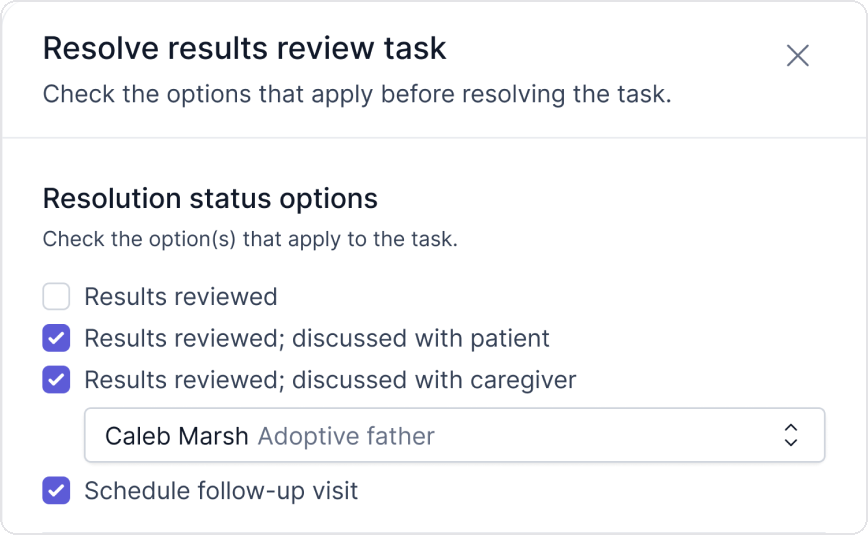
- Guardian consent: a parent or legal guardian completes and signs for a minor, so the form has to capture who is signing, their relationship to the child, and their authority to consent. Ask what the system does when the adult completing the form isn't the one who can authorize care: a grandparent at a sick visit, a foster or kinship placement, or a separated parent whose custody order limits medical decision-making.
- Adolescent confidentiality: state minor-consent laws give teens control over certain records, such as reproductive or behavioral health records, so parts of a record may need to remain private from a parent. A form that shows everything to whoever holds the account can break that.
- Multiple children per account: families register several children at once, so the system must keep each child's PHI separate while linking them to the correct guardian and guarantor.
- Longer retention: pediatric records often have to be kept for years after the child reaches the age of majority, well beyond the standard adult window.
A generic HIPAA form builder can secure the data, but it wasn't designed for these family and consent structures, so practices end up with workarounds that reintroduce the risk the tools were meant to remove.
Intake Built for Pediatrics, Compliant by Design
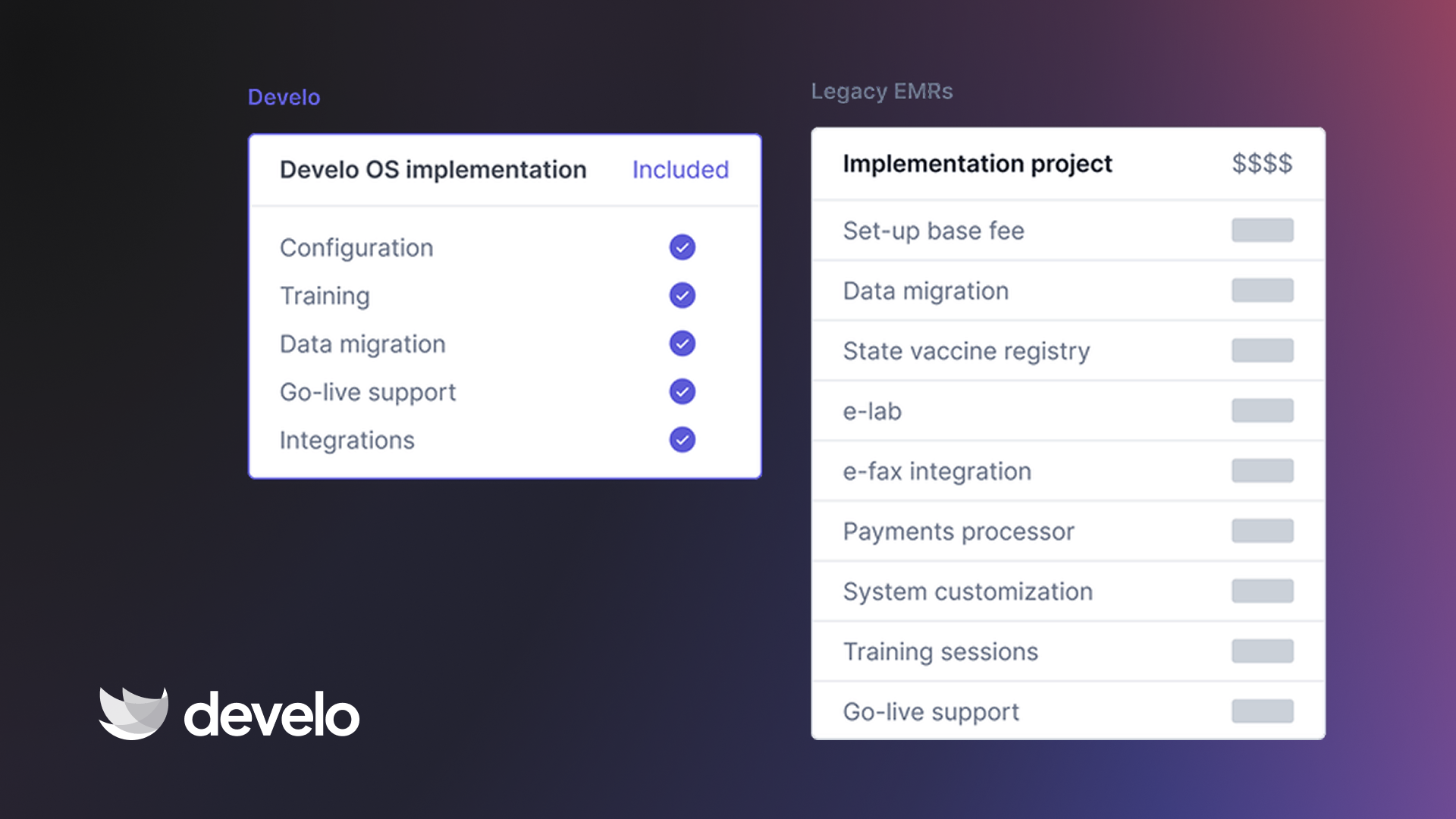
The cleanest way to stay compliant is to stop stitching a standalone form tool onto your record system and instead run intake inside a platform that already treats the data as pediatric PHI.
Develo is the AI-native operating system for pediatrics, built solely for independent pediatric practices and unifying charting, billing, practice management, and family engagement in one system. Its digital intake is built for the structures a generic form misses.
On the five requirements above, the platform carries the technical load. Develo signs a BAA with every practice, and its ONC certification covers the Security Rule's technical safeguards: authentication and access control, multi-factor authentication, tamper-resistant audit logs and audit reports, and encrypted connections for data in transit.
Forms go out by text when a visit is booked, and families complete them on a phone with no app download or family portal login. The data writes straight into the chart: no plain email step, no re-keying, and no separate tool holding PHI outside the record. Develo AI forms digitizes any practice or patient form you drop in, so a consent or history form you already use joins the same secure flow.
Because it was built for children's practices, the family and consent logic is native. Guardian and guarantor relationships are modeled and linked to each child. Access adjusts automatically as guardian roles and a teen's independence status change, teens get confidential visit summaries while parents get limited ones, and siblings sit in one family view with access individualized to each child.
Digital developmental and behavioral screens can go out to families before or during any visit, and for well child visits they go out automatically, with the right screens for the child's age. Each one is scored digitally, connected to billing so a completed screen becomes a billable line, and returned straight into the chart. A concerning result also creates a screening task that flags it to the pediatrician ahead of the visit, so the compliant workflow and the clinical one are the same.
Book a demo to see how Develo handles pediatric intake from first text to signed chart.
Frequently Asked Questions
Are Online Patient Intake Forms Subject to HIPAA?
Yes, online patient intake forms are subject to HIPAA the moment they collect identifiable health information. That includes demographics, insurance, health history, and consent. The Privacy Rule applies in any format, paper included; online forms also fall under the Security Rule, because the data is electronic.
Do I Need a BAA With My Intake Form Vendor?
Yes, you need a signed Business Associate Agreement with any vendor that handles patient data on your behalf. Using an intake platform without a BAA is itself a HIPAA violation, even if the platform is secure and no breach occurs.
What Encryption Do HIPAA Intake Forms Require?
HIPAA doesn't name an algorithm, but HHS points to NIST standards: TLS 1.2 or higher in transit and AES-256 as the common choice at rest. Encryption is currently an addressable specification that functions as required in practice, and a proposed 2025 rule, not yet final as of September 2026, would make it explicitly mandatory.
Can I Use a Free Form Builder for Patient Intake?
Yes, but only if the vendor signs a BAA and the plan includes the required safeguards, like encryption, access controls, and audit logs. Consumer tools such as Google Forms and Jotform offer a BAA only on paid plans (Google through a Workspace account, Jotform on its Gold and Enterprise tiers); their free tiers don't, so those aren't compliant for PHI.
What Makes Pediatric Intake Different Under HIPAA?
Pediatric intake is different because a guardian completes and signs for the child, so the form has to capture who is signing and their authority to consent. State minor-consent laws can also restrict what a parent sees, and several children often share one family account.

.avif)
.png)
.jpeg)
