.avif)
Is Tebra the right EMR for your practice? Tebra reviews tend to praise its ease of use and onboarding support, while billing complaints are common enough to deserve a closer look before you switch. We tested Tebra's core workflows and read what practice staff report on major review sites to see whether its general-medicine build fits a pediatric practice.
Quick Verdict on Tebra Reviews
On Capterra, Tebra holds 3.9 out of 5 across more than 1,300 reviews, with ease of use rated 4.1 and customer service 3.8 (as of September 2026).
Reviewers describe a platform that's easy to learn, with dependable one-on-one onboarding support. Billing tasks and customer support after onboarding are the most common complaints.
Tebra fits best for general practices that want an all-in-one system; pediatric clinics tend to need more specialized workflows than it offers.
What Is Tebra?
Tebra is a cloud-based platform that combines an EMR, billing, and practice management tools for independent healthcare practices.
Tebra markets itself to a wide range of independent practices, including primary care, mental health, dermatology, chiropractic, and pediatrics. It handles pediatric patients, but it wasn't built around the workflows a dedicated pediatric clinic relies on.
The company was formed when Kareo and PatientPop merged, and the name comes from "vertebrae," a nod to its goal of being the backbone of a practice's daily operations.
Features
- AI Note Assist: An AI tool that listens during the visit and drafts a structured, editable clinical note. Tebra says it cuts note-taking time by up to 50%. Notes still need to be reviewed and signed off, so it reduces documentation time rather than removing it.
- Billing and RCM: Eligibility checks, charge capture, claims management, and A/R posting are included in Tebra's top-tier bundle as well as its EHR+ and Billing Starter plans, and Tebra also offers managed billing services.
- Patient communication tools: Text reminders, online scheduling, and reputation management, built for general practices rather than pediatric-specific workflows.
- Telehealth: Built-in virtual visits, included in Tebra's top-tier bundle as well as its EHR+ and EHR Starter plans.
Tebra Reviews: What Real Users Are Saying
Tebra reviews split fairly evenly between users who like the day-to-day ease of use and those frustrated by billing.
Across Capterra and Trustpilot, the clinical side of the platform draws steady praise, while claims and billing tasks are the most common complaints.
Pros
✅ Onboarding support: Responds quickly to new practices.
Reviewers describe onboarding staff as attentive and quick to answer questions.
A physician assistant on Capterra called the support team "very supportive," even while she managed frequent billing reminder emails during the transition (Dominique A., physician assistant, Capterra).
✅ Clinical side: Easy to learn, even for new staff.
Providers describe the EMR as easy to pick up, even without much prior software experience.
A nurse practitioner on Capterra called the platform "user-friendly" and "affordable" (Heather B., nurse practitioner, Capterra).
✅ Reporting and pricing: Predictable for many practices.
Practice owners point to Tebra's reporting tools and flat monthly cost as an improvement over their previous system.
One practice owner on Trustpilot described the monthly cost as "very competitive" (Allen M., Trustpilot).
Cons
❌ Billing: Creates ongoing delays and extra work for staff.
One reviewer called the billing side "especially problematic," saying it adds constant delays and extra work for staff.
A separate reviewer reported that billing issues "sat unresolved for weeks" (Amber, Trustpilot).
❌ Pricing: Can change after the contract is signed.
Costs "changed multiple times" despite written pricing confirmation, one reviewer said, and imported data stayed unusable, which raised her practice's operating costs (Kelly A., Trustpilot).
❌ Support: Harder to reach once problems move past onboarding.
For a clinical workflow issue, one reviewer said "there was no one" to help, with cases left open for months (Pakaloha Care, Trustpilot).
Another reviewer described response times as slow, with support cases going "unresolved for weeks" (Aloha Advanced Care, Trustpilot).
Practices with straightforward billing needs are likely to feel this friction least. Those juggling multiple payers or high claim volumes tend to report more of it.
Our Take on Tebra
The first thing that stands out in Tebra is how solid the clinical side is. The interface feels modern, charting doesn't take a dozen clicks, and AI Note Assist drafts a note from the visit conversation for the provider to review.
Reviewer feedback supports this: onboarding support receives consistent praise, and staff can pick up the EMR fairly quickly.
Billing tells a different story. Multiple reviewers describe it as the platform's weak point, from delays that pile up work for staff to pricing that changed after being confirmed in writing.
Support adds to the frustration once onboarding ends. Some reviewers report cases that sat open for weeks or months without resolution.
Pricing predictability splits opinion. One reviewer called the monthly cost "very competitive," while another said costs changed multiple times despite a signed agreement. This suggests the pricing experience depends on the contract terms a practice signs.
But the bigger issue for pediatric practices is that Tebra's templates, billing logic, and telehealth workflows are all built around general medicine. Reviewers running general or behavioral health practices generally don't flag this, since it doesn't affect their daily work.
Is Tebra Right for Your Pediatric Practice?
Tebra suits general and behavioral health practices well, but pediatric-specific needs point many clinics toward a different kind of platform.
You might like Tebra if:
- You run a general practice that treats a mix of patients, including pediatric patients.
- You want a single system for EMR, billing, and scheduling without a steep learning curve.
- You value built-in marketing and patient engagement tools.
Look elsewhere if:
- You run a dedicated pediatric practice and need workflows built around family units, including siblings, guardians, and multiple children per household.
- You need billing logic built specifically around vaccine administration and age-specific diagnosis codes.
- You want built-in adolescent confidentiality protections. General EMRs can struggle to separate teen and parent data access without manual workarounds.
The Best Alternative for Pediatric Practices: Develo
Whereas Tebra treats pediatrics as one of many specialties, Develo is the AI-native operating system for pediatrics, built solely for independent pediatric practices. It unifies charting, billing, practice management, and family engagement in one platform.
Develo starts from pediatric care and builds outward from there, so the workflows pediatricians need are already part of the platform.
Those pediatric-first workflows include:
- Family-centered records and family portal: Sibling records are linked, and multiple guardians are managed without duplicate data entry. Caregivers see every child's records, immunizations, and balances, and can pay across siblings, from a single family portal.
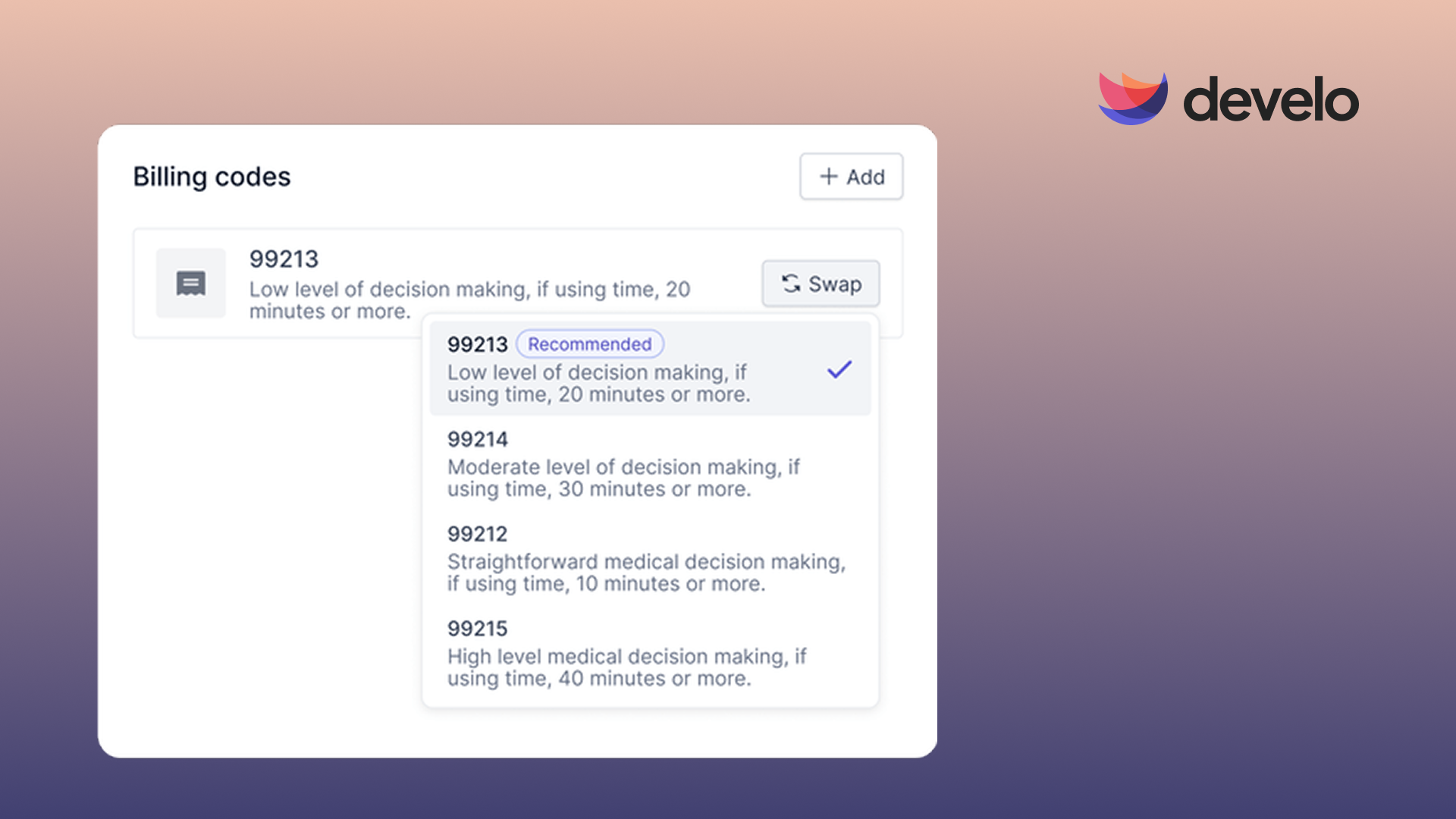
- Automated charge capture for pediatric visits: Vaccine administration codes, age-specific diagnosis codes, and well child visit rules apply automatically as providers document, cutting down on manual code review for billing staff.
- Adolescent confidentiality controls: Teen patients get protected communication and records access, kept separate from a parent or guardian's view, built directly into the platform.
- AI across the visit: Develo AI scribe writes into your visit note using pertinent chart data, such as growth data, immunizations, and screening results, and a clinician approves every section before it enters the note. It supports 100 languages, and notes are always returned in English.
- Immunization registry connections: Develo connects bi-directionally, in real time, to state immunization registries, with two-way VaxCare and Canid integrations that let staff place vaccine orders in Develo and receive administration details automatically.
- Comprehensive pricing: A per-provider monthly fee covers the platform, data migration, configuration, training, and go-live and ongoing support, with no implementation fee. Some AI capabilities, including Develo AI scribe, are priced separately.
- In-house support team: Develo's US- and Canada-based team works only with pediatric practices, and every practice gets a dedicated customer success manager and a 24/7 on-call engineer for critical issues, long after go-live.
Final Verdict
If you run a general practice and want an easy-to-use, all-in-one system, Tebra is worth a look. But if you're dedicated to pediatrics and want billing, charting, and family workflows built for that specialty, Develo is the stronger option.
See How Develo Handles Pediatric Billing
If you want billing, charting, and family workflows built around pediatrics, book a demo to see how Develo handles well child visits, vaccine billing, and family balances for your practice.
Frequently Asked Questions
Is Tebra Good for Pediatric Practices?
Tebra works for pediatric patients but isn't built for pediatric practices. Its templates and billing codes aren't designed for the specialty, so pediatric clinics often need manual workarounds to address what the platform doesn't include natively.
What Do Most Tebra Reviews Say?
Most Tebra reviews praise its ease of use and onboarding support, while billing complexity and slower support after onboarding are the most common complaints.
How Much Does Tebra Cost?
Tebra pricing is quoted per practice rather than published; estimates run from $49 to $799 per provider each month, depending on the plan and modules a practice selects. One-time fees such as EPCS setup (about $75 per provider) and prescription drug monitoring program integration ($500 per facility) are billed separately.
What Is the Best Tebra Alternative for Pediatric Clinics?
The best Tebra alternative for pediatric clinics is Develo, a pediatric-specific alternative built solely for independent pediatric practices. As the AI-native operating system for pediatrics, it unifies charting, billing, practice management, and family engagement in one platform.
Can I Switch From Tebra to Another EMR?
Yes, you can switch from Tebra to another EMR by migrating your practice's data to the new system. Timelines vary by practice, and early termination fees may apply depending on the contract in place.


.avif)