


After spending weeks looking at pediatric practice management systems across scheduling, billing, charting, and family engagement, these are the 7 best options for independent pediatric clinics in 2026.
7 Best Pediatric Practice Management Systems: Quick Comparison
How I Researched These Pediatric Practice Management Tools
I pulled insights from pediatrician forums, G2 and Capterra reviews, and YouTube walkthroughs from real clinic administrators. I prioritized the most recent reviews available to reflect current user experiences with each platform.
- Clinical workflows: How well each tool handles well child visits, immunization tracking, growth charts, and developmental screeners
- Billing and revenue cycle: Charge capture accuracy, claims submission, denial management, and payment collection
- Family engagement: Digital intake, scheduling, portal access, and communication tools for parents and caregivers
- Usability: Interface speed, learning curve, and number of clicks to complete common tasks
- Pricing transparency: Whether the vendor bundles features or charges add-on fees for essentials
- Integrations: Connections to labs, pharmacies, state immunization registries, and third-party tools
This hands-on approach helped me see which pediatric practice management tools hold up in daily clinic operations, not just on a features page.
1. Develo: Best for Pediatric-Specific Automation and Family Engagement
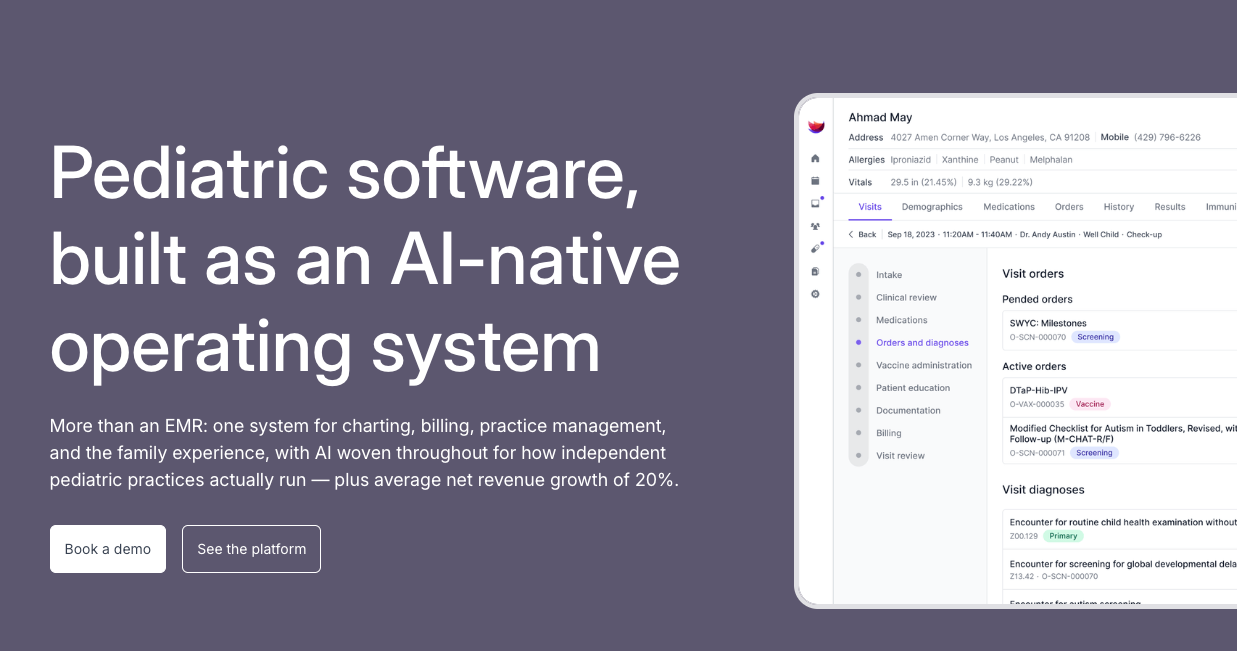
What it does: Develo is the AI-native operating system for pediatrics, built solely for independent pediatric practices. It unifies charting, billing, practice management, and family engagement, including scheduling and digital intake, in one system.
Best for: Independent pediatric clinics of any size that want a purpose-built platform with automated billing, AI-powered documentation, and a native family portal.
Develo stands out because it was designed exclusively for pediatrics. That matters more than you'd think.
General EMRs force you to work around features built for adult medicine. Develo's workflows match how pediatric clinics actually run. High-volume well child visits, complex family structures with multiple siblings and guardians, and pediatric-specific billing codes are all handled natively.
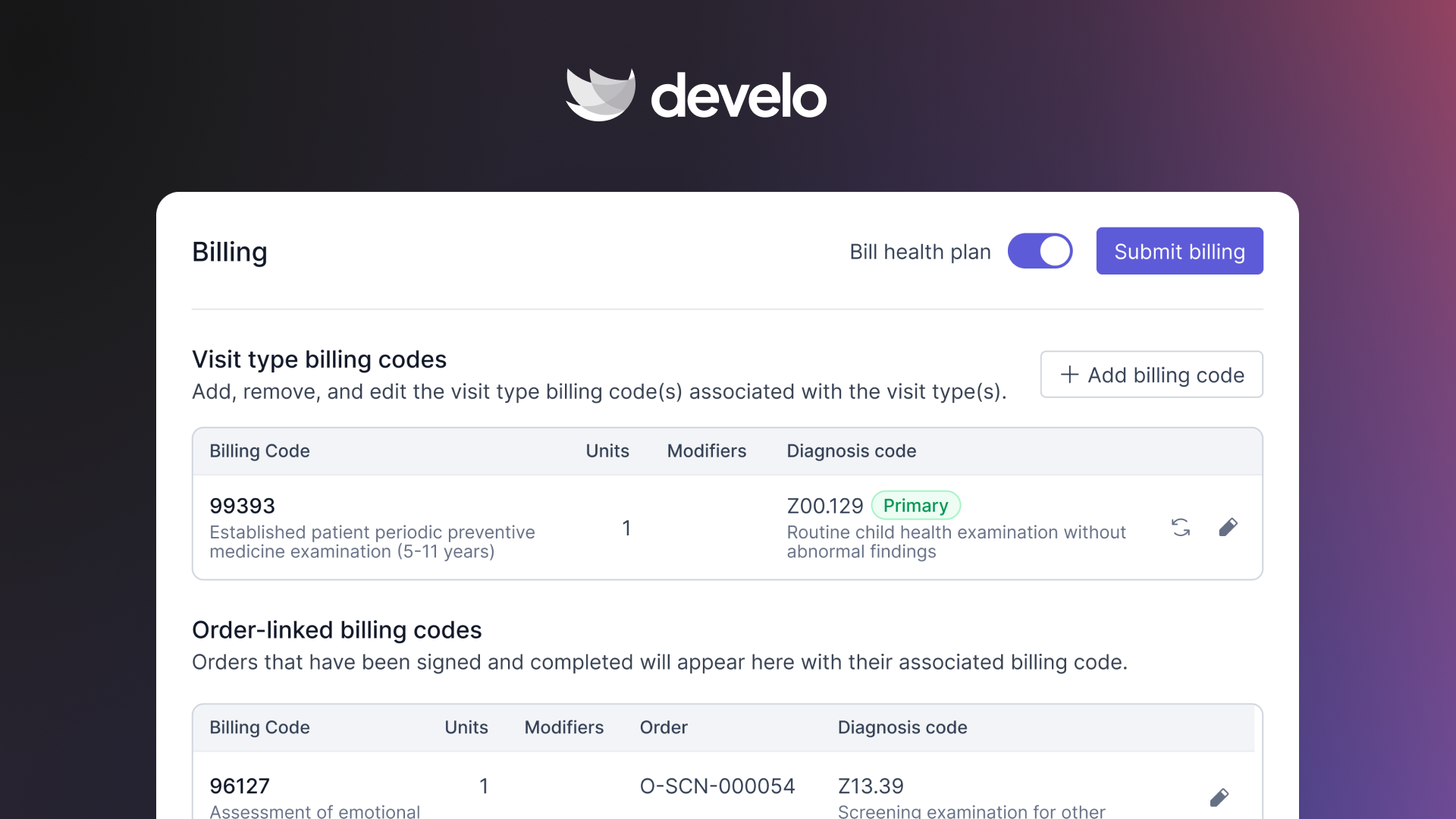
The automated charge capture feature caught my attention the most. It automatically applies billing codes based on visit documentation, which means fewer under-coded visits and less time for billers reviewing superbills.
AI runs across the platform, not just in the note. Beyond the Develo AI scribe, Ask Develo turns 15 minutes of chart review into 60 seconds with answers linked back to the record, Develo doc intel auto-tags e-faxes and uploaded files for single-click filing, Develo reports Q&A answers plain-English questions about clinical and administrative data, and Develo AI forms digitizes any practice or patient form.
Key Features
- Automated charge capture: Automatically generates billing codes from visit documentation, reducing under-coding and manual biller review, with real-time eligibility checks at check-in and claim scrubbing at submission
- Family portal and family-first records: Siblings, guarantors, and multiple caregivers are native data structures with adolescent confidentiality built in, and families self-schedule visits, message the practice, pay balances across siblings, and download growth charts and immunization records from one login
- Digital intake, registration, and screeners: Age-appropriate clinical screeners auto-populate based on the patient's age, get completed before the visit, are automatically scored and billed, and raise a screening task when a result is concerning. Newborns can be registered before a member ID or legal name exists and billed under a parent's policy until coverage posts
- Develo AI scribe: Embedded in the visit, the provider scribe writes the note from patient and visit context beyond the audio transcript, in about 100 languages with no audio retained, and the intake scribe gives nurses and medical assistants the same experience
- Complete vaccine workflow: Tracks inventory by funding source and lot expiry, auto-checks VFC eligibility against funding source, forecasts doses due and flags invalid doses before they're given, and exchanges records with state registries bi-directionally in real time
Pros and Cons
Pros:
✅ Purpose-built for pediatrics with workflows that match how clinics actually operate
✅ Comprehensive pricing with no add-on fees for intake, screeners, or the family portal
✅ Modern, browser-based interface that's fast and requires fewer clicks than legacy systems
✅ Onshore support and engineering, with no offshored ticket queue
Cons:
❌ Newer to the market compared to legacy pediatric EMRs like OP and PCC
❌ Lacks a large community of users to connect with
What Users Say
“Ease-of-use is off the charts—after a week, I am more comfortable with Develo than with other EMRs that I have used for 10+ years.” — Practice owner, Illinois, Develo
“Not only has Develo brought together multiple partner tools into one experience, they are already delivering on features that no other EMR has.” — Practice owner, North Carolina, Develo
Pricing
Develo uses comprehensive pricing with a practice platform fee plus a per-practitioner monthly fee. Implementation, training, data migration, support, intake, screeners, and the family portal are bundled in. AI capabilities are priced separately.
Bottom Line
Develo is a strong pick for any independent pediatric practice that wants to consolidate tools and eliminate the patchwork of third-party add-ons.
If you're running on a legacy system and spending extra on intake software, screener tools, and billing workarounds, Develo replaces all of that. Its pediatric-specific solutions are worth a close look.
2. Office Practicum: Best for Established Pediatric Practices Wanting Deep Clinical Features
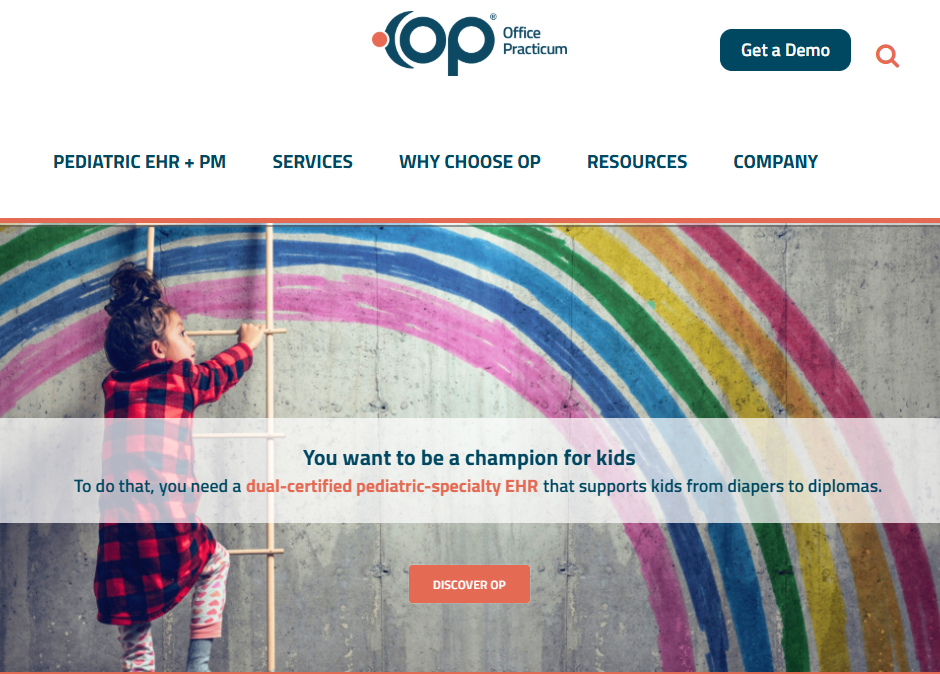
What it does: Office Practicum (OP) is a pediatric-focused EMR and practice management system with deep clinical features, including vaccine forecasting, Bright Futures templates, and a large library of pediatric visit tools.
Best for: Established pediatric practices that want a mature platform with extensive pediatric templates and a large user community.
OP has been in the pediatric EMR space since the early 1990s. It’s a long-standing, pediatric-specific EMR used by thousands of pediatricians, and there are good reasons for that.
The clinical feature depth is hard to beat. Vaccine forecasting with VacLogic+, CDC and WHO growth charts, and 200+ out-of-the-box templates cover nearly every scenario a pediatrician encounters.
That said, the platform's age shows in the interface. Users consistently report that the design feels dated and requires excessive clicking for routine tasks. Billing workflows, in particular, get mixed reviews.
Several features that Develo includes out of the box, like digital intake and a native family portal, cost extra with OP as separately priced modules or third-party add-ons.
Key Features
- VacLogic+ vaccine forecasting: Predicts upcoming immunizations and flags overdue vaccines automatically
- Pediatric templates: 200+ out-of-the-box templates for well child and sick visits, aligned to Bright Futures
- Growth charts and vitals: CDC and WHO growth tracking with head circumference, BMI, and developmental milestones
- Teen privacy controls: Adolescent confidentiality settings for HIPAA compliance
- RCM services: Optional outsourced billing and revenue cycle management
Pros and Cons
Pros:
✅ Deepest library of pediatric-specific clinical templates and visit tools
✅ VacLogic+ vaccine forecasting is mature and built on AAP immunization guidelines
✅ Large, established user community with webinars and peer resources
Cons:
❌ Interface feels dated and requires more clicks than modern platforms
❌ Digital intake and screeners typically mean third-party add-ons (like Phreesia or CHADIS), and the portal is a separately priced module
❌ Reports of frequent software glitches after updates
What Users Say
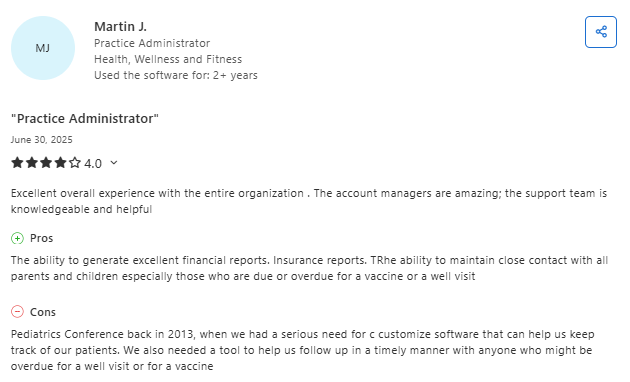
“OP has been a tremendous investment for our practice. The support is the best I have seen, and they respond quickly to urgent issues. The system continues to evolve based on user feedback, and we feel like true partners.” — Holly V., Practice Administrator & CEO, Capterra (Oct 2, 2025)
“Office Practicum is designed for pediatrics and is constantly evolving, but there are times when update releases have unintentional consequences. When that happens, they do address it quickly.” — Cyndi K., Population Health Manager, Capterra (June 30, 2025)
Pricing
OP doesn't publish pricing. Modules like the portal and billing are priced separately, and clearinghouse fees are billed on top. Reach out to OP for a quote.
Bottom Line
OP is a solid choice if your practice values deep pediatric clinical content and vaccine forecasting above all else.
Be prepared for a steeper learning curve and the likelihood of needing add-on tools for intake and family engagement. If those gaps frustrate you, a more modern option like Develo bundles those features natively.
3. PCC: Best for Practices That Prioritize Support and Community
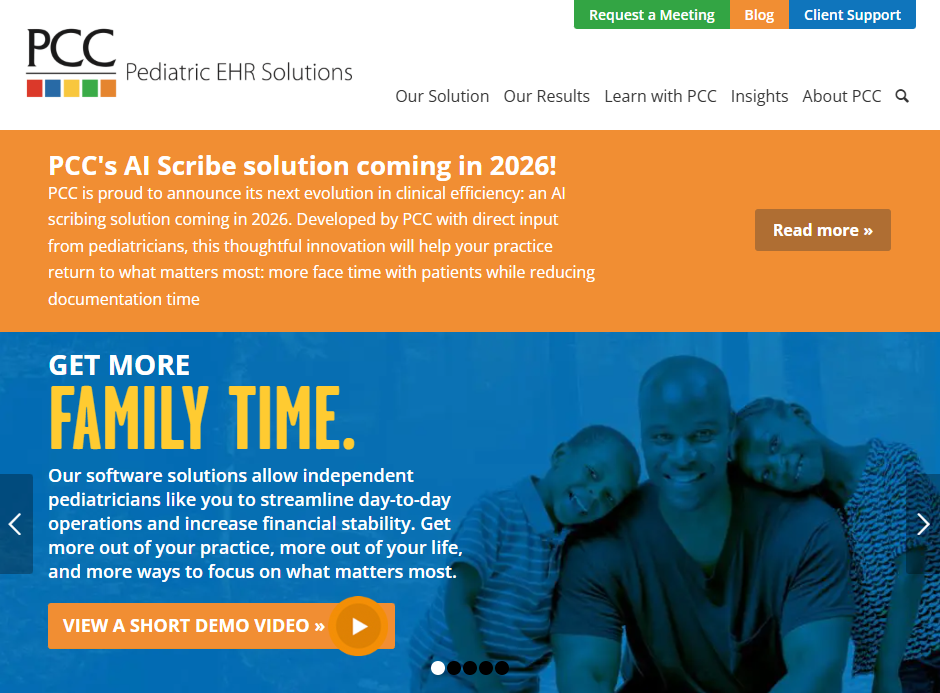
What it does: PCC (Physician's Computer Company) is a pediatric-dedicated EMR and practice management platform known for its customer support, practice analytics, and tight-knit user community since 1983.
Best for: Independent pediatric practices that value hands-on support, peer benchmarking, and a vendor that's exclusively focused on pediatrics.
Support is PCC's calling card: practices get assigned client advocates and included training, and PCC earned its eighth consecutive Best in KLAS award in 2026. The practice analytics dashboard is another highlight. It gives you benchmarking data against anonymized peer practices, helping you spot trends in visit volume, revenue, and coding accuracy.
Where PCC falls short is modernization. The billing module still runs on a DOS-era interface, and new capabilities like AI arrive slowly, with months between releases.
Key Features
- Practice analytics: Financial and clinical dashboards with peer benchmarking
- Pediatric growth charts: Includes specialized charts for Down syndrome, preterm infants (Fenton), and CDC/WHO standards
- Vaccine management: Inventory tracking, state registry submissions, and overdue immunization alerts
- Community resources: Annual user conference, frequent webinars, and a collaborative user network
- Bundled pricing model: Software, support, training, and upgrades bundled into the per-provider fee
Pros and Cons
Pros:
✅ Best-in-class customer support with dedicated client advocates
✅ Practice benchmarking against peer data helps identify revenue opportunities
✅ Pediatric-only focus means the vendor understands your workflows
Cons:
❌ Billing workflows use an outdated, DOS-style interface
❌ Its newest AI capability is a paid monthly add-on carrying its own implementation fee
❌ Demographic updates from the portal still require manual staff processing
What Users Say
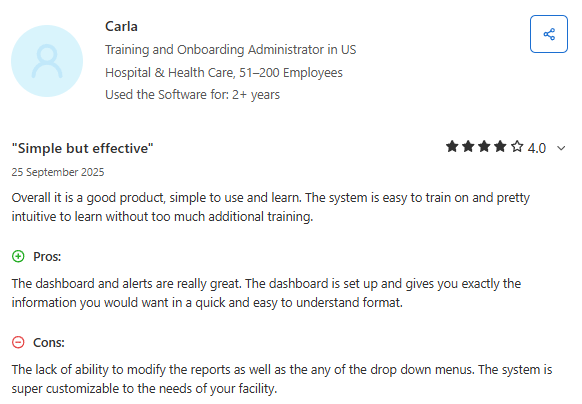
“Overall, it is a good product, simple to use and learn. The system is easy to train on and pretty intuitive without too much additional training. The dashboard and alerts give you exactly the information you need in a quick, easy-to-understand format.” — Carla F., Training and Onboarding Administrator, Capterra (Sept 25, 2025)
“It’s user-friendly and easy to navigate, but it could use more filters to make reports more specific.” — Venus C., Regional Rehab Director, Capterra (Aug 9, 2023)
Pricing
PCC doesn't publish a rate. Practices pay a per-provider monthly fee that varies with claims volume, and some, especially smaller practices, also pay a practice fee. The fee covers software, support, training, upgrades, data conversion, and the portal, with $0 startup costs. Usage-based add-ons such as text messaging, a one-time EPCS token fee, and PCC Scribe are billed on top. The standard contract is three years, and an early termination fee applies.
Bottom Line
PCC is the right fit if support quality and community are your top priorities. The clinical tools are strong, and the support is hard to beat. But if you need a modern interface, native digital intake, or AI built into the core rather than sold as an add-on, PCC's legacy architecture may hold your practice back.
4. athenahealth: Best for Broad Interoperability and Network-Driven Insights
What it does: athenahealth (athenaOne) is a cloud-based EMR, practice management, and revenue cycle platform that serves multiple specialties, including pediatrics.
Best for: Pediatric practices that need wide payer connectivity, health system interoperability, and data-driven revenue cycle tools.
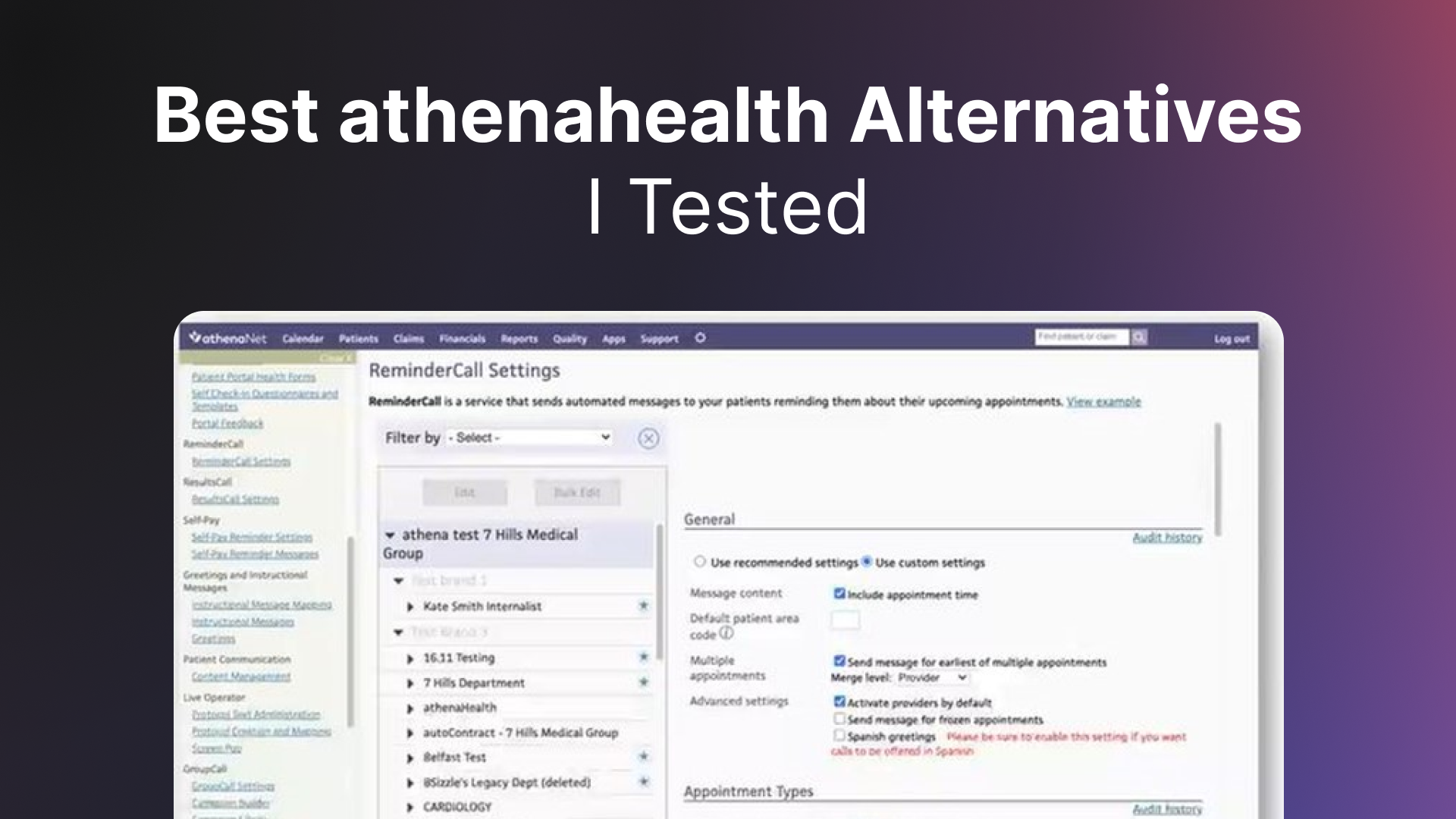
The biggest strength is the network effect. athenahealth's payer network automates eligibility checks, claim scrubbing, and denial management across a massive database of rules. For practices dealing with dozens of insurance payers, this saves real time on claim rework.
The tradeoff is that athenahealth lacks pediatric-specific depth.
Family relationship management, adolescent confidentiality controls, and pediatric-optimized screeners aren't native to the system in the way they are with Develo or OP. You'll likely need to layer on third-party tools for pediatric-specific gaps.
Key Features
- Network-driven revenue cycle: Automated claims management, real-time eligibility, and payer rule updates
- Cloud-based access: Fully browser-based with no server installations required
- Interoperability: Broad connections with labs, pharmacies, health information exchanges, and hospitals
- Online portal: Online scheduling, messaging, bill pay, and record access
Pros and Cons
Pros:
✅ Mature revenue-cycle tools with automated scrubbing, eligibility checks, and payer-specific rules
✅ AI coding tool significantly reduces manual coding time
✅ Cloud-based with frequent, automatic updates
Cons:
❌ Not pediatric-specific, so family relationship management and adolescent confidentiality features are limited
❌ Growth charts and pediatric screeners are less robust than dedicated pediatric EMRs
❌ Pricing can be complex with per-encounter or percentage-of-collections models
What Users Say
“My experience with AthenaOne has been positive. It saves valuable time for both staff and patients, and the ease of automated billing has improved our revenue and reimbursement speed. Having everything in one place is a huge time-saver for a busy practice.” — Amy S., Intake Specialist, Capterra (Feb 27, 2026)
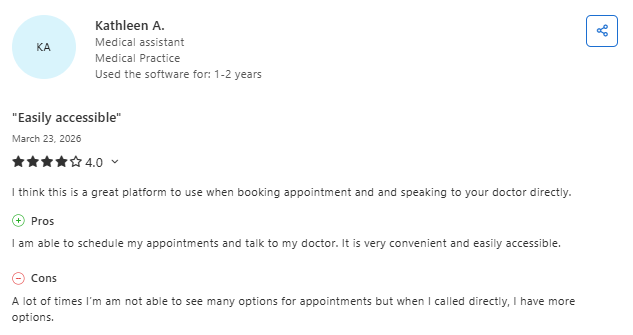
“Athena is fairly easy to navigate and makes it simple to access records and communicate with providers, but the system feels outdated and could use a full revamp. There are also limitations around provider access.” — Erica M., Administrative Assistant, Capterra (Mar 23, 2026)
Pricing
athenahealth typically uses a percentage-of-collections model or per-encounter fees, depending on the contract.
This makes it harder to predict monthly costs compared to flat-rate alternatives. Add-on services (like advanced analytics or expanded portal features) may carry extra fees.
Bottom Line
athenahealth is a strong option if your practice relies heavily on referrals and needs broad interoperability and automated claims management.
But if you want software that genuinely understands pediatric workflows, family structures, and the nuances of high-volume well child visits, you'll feel the gaps compared to pediatric-specific tools.
5. Phreesia: Best for Automating Front-Desk Intake and Registration

What it does: Phreesia is a digital intake and patient engagement platform that automates registration, insurance verification, clinical screeners, payments, and scheduling for healthcare organizations.
Best for: Pediatric practices that need to modernize their check-in experience and automate intake, but want to keep their existing EMR.
Phreesia is not a practice management system or EMR. It's an intake automation layer that sits on top of your existing EMR. That's an important distinction.
For pediatrics specifically, Phreesia offers logic-driven intake interviews that adjust questions based on patient age and visit type. It also administers and scores behavioral health screeners like the Pediatric Symptom Checklist.
Parents can check in from their phones before the visit, which cuts waiting room time and reduces front-desk bottlenecks.
The catch is that Phreesia is a general-purpose solution. It works across cardiology, dermatology, orthopedics, and dozens of other specialties.
That means its pediatric workflows aren't as deeply tailored as what you'd find in a pediatric-specific platform. Family relationship management, sibling-linked records, and adolescent confidentiality settings aren't native strengths.
Key Features
- Digital pre-visit registration: Parents complete intake on their phones before arriving
- Insurance eligibility verification: Real-time benefit checks at registration
- Clinical screening tools: Automated delivery and scoring of age-appropriate screeners (behavioral health, SDOH, developmental)
- Payment collection: In-office and digital payment options, including Apple Pay and Google Pay
Pros and Cons
Pros:
✅ Strong pre-visit intake automation that meaningfully reduces front-desk workload
✅ Multi-language support is a real advantage for diverse patient populations
✅ Clinical screener library covers a wide range of pediatric assessments
Cons:
❌ Not an EMR or practice management system. You still need a separate platform for charting, billing, and scheduling
❌ General-purpose design means pediatric-specific family workflows are limited
❌ Adds another vendor and cost layer on top of your existing EMR
What Users Say
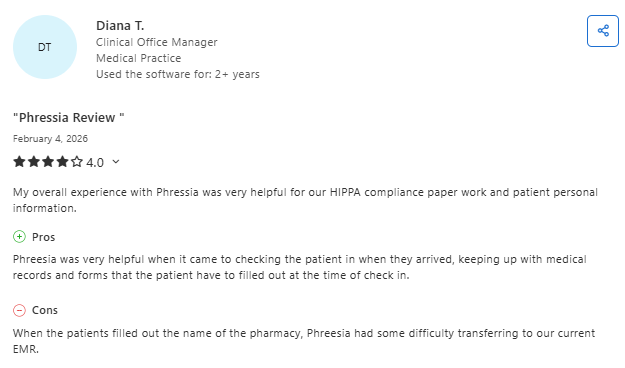
“Phreesia support is always there to help, and the services they provide make our jobs so much easier. It’s become a must-have for our office, especially when evaluating new systems.” — Daphene R., Office Manager, Capterra (Oct 23, 2025)
“My overall experience has been fantastic. The platform is user-friendly and packed with features, but one drawback is that broadcast messages can’t be sent until the day’s schedule is loaded, which limits advance communication.” — Rhoda O., Office Manager, Capterra (Oct 20, 2025)
Pricing
Phreesia uses subscription-based, quote-dependent pricing.
Bottom Line
Phreesia is a solid add-on if you love your current EMR but need to modernize intake.
The question is whether it makes more sense to pay for a separate intake tool or switch to a pediatric practice management platform like Develo that includes intake natively alongside scheduling, charting, billing, and family engagement.
6. AdvancedMD: Best for Customizable Multi-Specialty Workflows
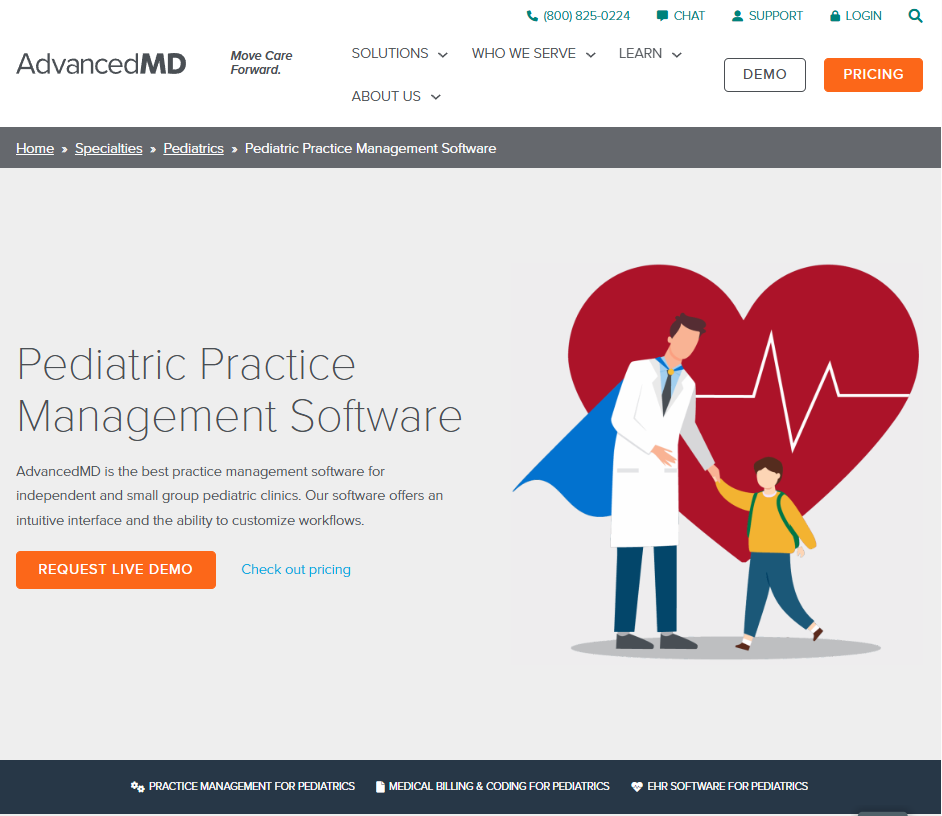
What it does: AdvancedMD is a cloud-based EMR and practice management platform designed for independent practices across multiple specialties, including pediatrics.
Best for: Multi-specialty or pediatric practices that want a highly customizable system with built-in telemedicine and advanced reporting.
AdvancedMD gives you a lot of configuration flexibility. You can customize templates, workflows, scheduling rules, and reporting dashboards to fit your specific practice operations. The built-in telemedicine tool is a genuine differentiator.
Parents can connect via a browser link with no downloads required.
The reporting tools are strong. Automated reports go straight to your inbox with visual charts and trend data. For practice administrators who want business intelligence without logging into a separate analytics tool, this is a real time-saver.
The limitation for pediatric practices is the same as athenahealth. AdvancedMD is a generalist platform.
Pediatric-specific features like family relationship management, age-based screener automation, and immunization registry connections aren't as deep as what you'd find in a pediatric-dedicated system.
Key Features
- Customizable workflows: Tailor templates, scheduling, and clinical documentation to match your practice
- Built-in telemedicine: Browser-based video visits for parents and patients with no app download
- Automated reporting: Financial and operational reports delivered to your inbox with visual dashboards
- Online portal: Online scheduling, messaging, bill pay, and record access for families
- Revenue cycle tools: Claims scrubbing, denial tracking, and financial analytics
Pros and Cons
Pros:
✅ Highly configurable for practices that want granular control over workflows
✅ Built-in telemedicine with no download requirements for patients
✅ Strong reporting and business intelligence tools
Cons:
❌ Not pediatric-specific. You'll need to build pediatric workflows manually
❌ Immunization management and growth chart tools are less robust than dedicated pediatric EMRs
❌ Learning curve is steeper due to the volume of configuration options
What Users Say
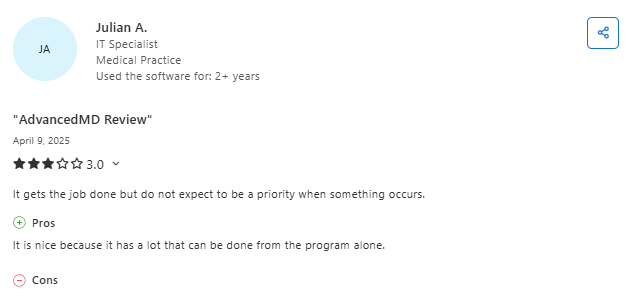
“Initially, it was easy to use and allowed us to customize workflows like SOAP notes, which helped fit our documentation needs.” — Donald T., Medical Director, Capterra (Feb 24, 2025)
“It started off good, but over time, there have been too many glitches, outages, and outdated features. Customer service has also declined, making it frustrating to rely on long term.” — Mir A., Owner, Software Advice (Feb 23, 2025)
Pricing
AdvancedMD publishes pricing of $429 to $1,070 per provider per month for medical specialties, depending on the modules you select (as of September 2026). Managed RCM is priced separately at 4% to 8% of collections.
Bottom Line
AdvancedMD works well for practices that value customization and telemedicine. If your clinic serves multiple specialties or needs a flexible platform you can shape to your exact needs, it's worth considering.
For a practice that's purely pediatric and wants workflows that work out of the box, a pediatric-focused product will save you setup time and deliver deeper specialty features.
7. Tebra: Best for Small Pediatric Practices on a Budget
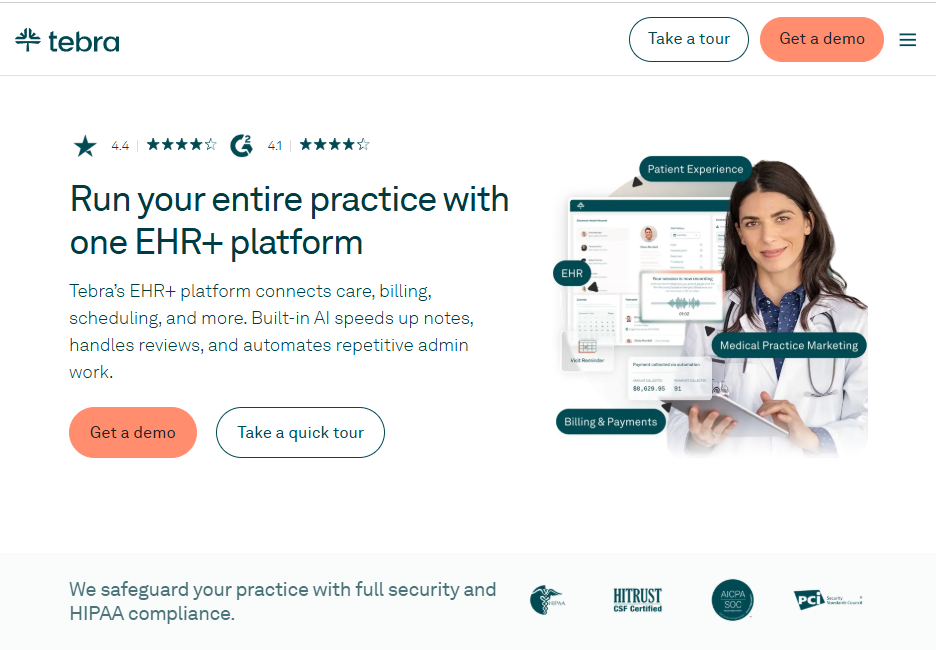
What it does: Tebra is a cloud-based practice management, EMR, and billing platform built for independent medical practices across multiple specialties.
Best for: Small pediatric practices (1-3 providers) looking for an affordable, straightforward system to handle scheduling, billing, and basic EMR needs.
Tebra (formerly Kareo + PatientPop) positions itself as the all-in-one platform for independent practices. The interface is clean and straightforward. For a solo pediatrician or small group just starting out, it covers the basics without overwhelming you.
The billing tools are decent. Automated claim submission and basic denial tracking keep the revenue cycle moving.
But once you start looking for pediatric-specific depth, like immunization forecasting, family structure management, or age-based screener automation, Tebra falls short. It's a generalist tool that happens to work for pediatrics at a basic level.
Key Features
- Scheduling: Visit scheduling with automated reminders
- EMR: Cloud-based charting with customizable templates
- Billing: Automated claims submission, denial tracking, and patient payment collection
- Online portal: Online booking, messaging, and record access
- Practice marketing: Built-in online presence management and patient acquisition tools
Pros and Cons
Pros:
✅ Affordable entry point for small practices
✅ Clean, easy-to-learn interface
✅ Built-in marketing and patient acquisition tools are a unique bonus
Cons:
❌ Family relationship management is not a native capability
❌ Limited integration with state immunization registries
❌ Better suited as a starter system. Growing practices may outgrow it
What Users Say
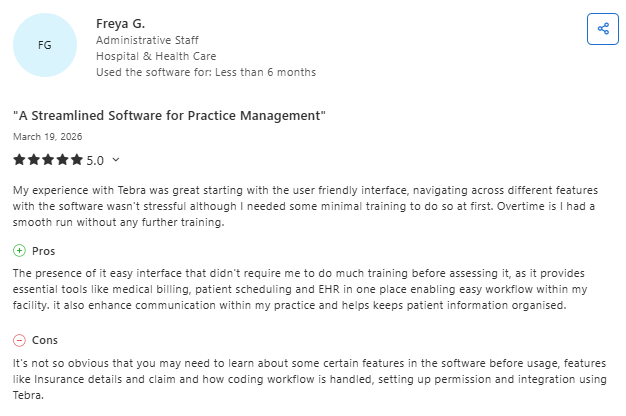
“Tebra has been a strong solution for our billing company. It’s helped improve our bottom line, and the platform continues to add enhancements that make our work more efficient.” — Diane S., Owner, Capterra (Mar 18, 2026)
“The software feels very primitive, and I struggled to build reports or properly track claims. Pricing changes and the shift to per-claim billing were also frustrating.” — Mahmoud B., Owner, Capterra (Mar 19, 2026)
Pricing
Tebra uses custom, quote-based pricing. You need to enter details about your practice to receive a tailored estimate, which the company says takes under two minutes.
Bottom Line
Tebra covers the basics for a small practice that needs an affordable starting point. But if your pediatric clinic handles high visit volumes, complex family structures, or needs vaccination management, you'll quickly feel the limitations.
A purpose-built pediatric platform delivers the specialty-specific tools that Tebra can't match.
Which Pediatric Practice Management System Should You Choose?
Choose Develo if you:
- Want a modern platform built exclusively for pediatrics, including native AI for documentation, chart review, inbound documents, reporting, and forms
- Need automated charge capture to reduce coding errors and underbilling
- Value having scheduling, charting, intake, billing, and the family portal in one system with comprehensive pricing
- Run a single site or a multi-site pediatric group, MSO, or care network on a shared back office
Choose Office Practicum if you:
- Want the deepest library of pediatric clinical templates
- Want VacLogic+ forecasting inside a long-established pediatric EMR
- Don't mind paying for add-on modules or third-party tools for intake and family engagement
Choose PCC if you:
- Prioritize outstanding customer support and a collaborative user community
- Want practice benchmarking against anonymized peer data
- Want a pediatric-only vendor with a four-decade track record
Choose athenahealth if you:
- Need strong payer connectivity and automated revenue cycle tools
- Work with multiple health systems or referral networks
- Prefer a cloud-based platform with broad interoperability
Choose Phreesia if you:
- Want to automate patient intake without switching your EMR
- Need digital registration, insurance verification, and clinical screeners
- Are looking to reduce front-desk workload and wait times
Choose AdvancedMD if you:
- Want a highly customizable platform across workflows and specialties
- Need built-in telemedicine and advanced reporting tools
- Are comfortable configuring pediatric workflows manually
Choose Tebra if you:
- Run a small pediatric practice and need an affordable, simple system
- Want basic scheduling, billing, and EMR in one platform
- Don’t need advanced pediatric-specific features yet
Final Verdict
Pediatric practice management software should match the way your clinic actually works. General-purpose tools force workarounds for family structures, well child visits, and pediatric billing codes. Pediatric-specific platforms solve those problems natively.
If you're switching from a legacy system or are tired of stitching together multiple tools for things like intake, screeners, and billing, Develo replaces that patchwork with one AI-native operating system for pediatrics, with pediatric-specific automation built in and new releases every week.
You don't need five different apps to run your pediatric clinic. You need one platform that ties pediatric practice management together from check-in to final claim.
Book a demo and learn how Develo helps you take control of your practice from scheduling to billing.
Frequently Asked Questions
1. What Is a Pediatric Practice Management System?
A pediatric practice management system is a platform that helps pediatric clinics handle scheduling, billing, charting, intake, and family communication in one system. It automates administrative tasks so providers can focus on patient care.
2. What's the Difference Between a Pediatric EMR and General Practice Management Software?
The main difference is the features that are included.
Pediatric EMRs include features like family relationship management, well child visit templates, vaccine registry connections, and adolescent confidentiality controls. General platforms handle basic scheduling and billing but require workarounds or add-ons for pediatric-specific needs.
3. Can Small Pediatric Practices Benefit From Practice Management Software?
Yes, small pediatric practices benefit from practice management software by automating billing, reducing claim denials, and saving front-desk time on intake and scheduling.
Even solo providers see time savings from digital screeners and automated reminders. The key is choosing a platform that scales with your practice rather than one built for large health systems.
4. What Features Should I Look for in Pediatric Practice Management Software?
The key features to look for include immunization tracking with state registry integration, pediatric growth charts, age-based clinical screeners, family relationship management, automated charge capture, digital intake, and a family portal.
5. How Do I Know When It's Time to Switch Pediatric Practice Management Systems?
Signs you need a new system include spending too much time on manual data entry, paying for multiple third-party add-ons, dealing with frequent software glitches, or hearing complaints from staff about slow workflows.
.png)

.avif)
.avif)
